

CASE STUDY
Modernizing a Family Medical Clinic’s Website Design
A new medical practice deploys custom website to automate patient bookings.
A new family practice clinic wanted to serve adult patients but ran into a big problem: they didn’t have a website. Today, patients expect to find information and book appointments online, but this clinic depends only on walk-ins and phone calls.
This case study shows how the clinic used digital tools to build a professional online presence, streamline appointment management, and position itself for growth. In just 1.5 months, they launched a simple WordPress website with online booking, resolving scheduling issues and making it easier for patients to get care.
Key Takeaways
- Having a digital presence is essential. For any local family practice, a website builds trust and makes things easier for patients.
- Start with something simple that can grow over time. WordPress was an affordable and flexible choice that met the clinic’s needs and can expand as it does.
- Keep the main patient action in mind. For this clinic, making it easy to book an appointment was the top priority, and everything else supported that goal.
- Security is important from the start. Healthcare clinics should prioritize website and server security, even if they don’t yet have to meet formal rules like HIPAA.
- Post-launch training is key to long-term success. Video guides and call-based walkthroughs helped the clinic manage its website independently.
About the Client
The client is a family practice clinic that serves adults aged 18 and up. As a new business, they didn’t have any online presence before this project. Their main services include general checkups, internal medicine, ultrasound, telehealth, same-day sick care, and other adult-focused care.
Before the project, all appointments were handled manually. Patients had to walk in or call during business hours to book an appointment. This worked when the clinic was small, but it became a problem as more patients came in.
Potential patients couldn’t see what services were offered, check availability, or book appointments after hours. The clinic worked directly with patients, but without a website, they couldn’t reach as many people or offer as much convenience.
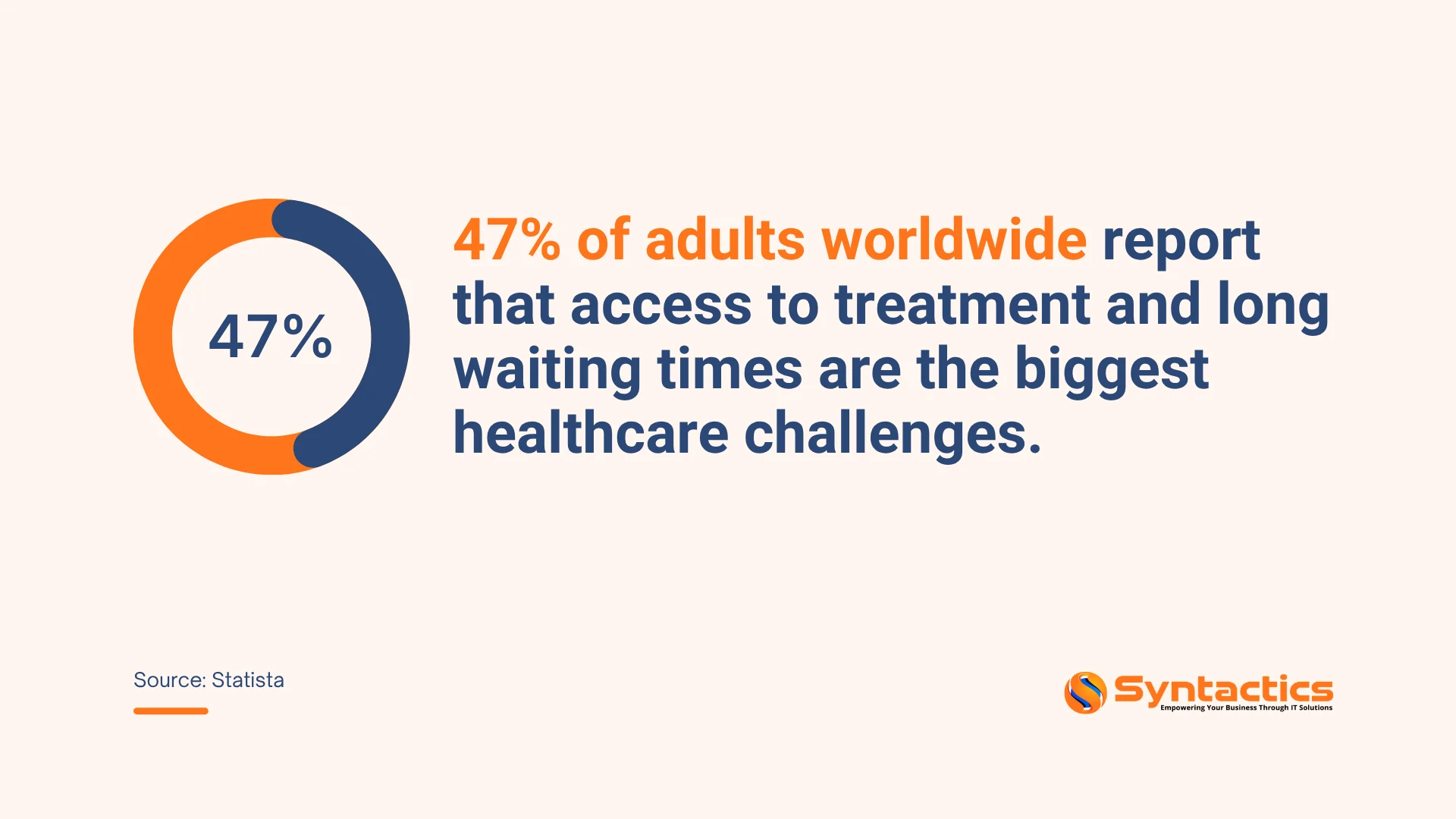
Source: Statista.
Challenges and Pain Points
The primary challenge was the complete lack of an online presence. Since the clinic did not yet have a website, patients had no easy way to:
- View the clinic’s services or practitioner backgrounds.
- Access basic information such as location, hours, or contact details.
- Book or manage appointments digitally.
This led to several operational pain points.
First, scheduling was inefficient. Staff spent significant time on phone calls, manually entering appointments, and handling rescheduling.
Second, patient convenience suffered. Adults with busy work schedules could not book after-hours or view real-time availability.
Third, the clinic risked losing market share. While not explicitly measured, competitors with online booking and professional websites appeared more accessible and credible to tech-savvy patients.
From a strategic standpoint, the clinic needed to establish credibility and visibility quickly. As a new business, trust is everything in healthcare. A missing website signaled inaccessibility, even if the clinical care was excellent. The decision to seek a new solution was triggered by the clear need for a secure, professional website with online booking capabilities.
Goals and Objectives
The clinic had a few clear but important business goals:
- Build a professional online presence that helps adult patients trust the clinic.
- Make booking appointments easy for patients and reduce the workload for staff.
- Set up a website that’s easy to manage and can grow as the clinic adds new services or resources.
- Ensure the website is fast, reliable, and secure, as healthcare information is sensitive.
At this stage, the clinic didn’t need extras like payment systems or ERPs, which kept the project simple and doable in 1.5 months.
The Solution
We chose WordPress for the website because it was practical and flexible. It let us quickly build the necessary features and gave the clinic an easy way to update content in the future. The clinic’s team liked that they could manage the site themselves without paying for ongoing developer help.
Customization and Key Features
The solution was tailored to a central need: easing patient appointment booking while enabling the clinic to track appointments across different locations. Two core modules were implemented:
- Content Management System (CMS): Allows clinic staff to easily update service descriptions, practitioner bios, hours, and announcements.
- Appointment System: A fully integrated booking feature that lets patients select service types, view available time slots, and submit appointment requests. The backend enables clinic staff to efficiently manage, edit, and track all appointments.

Design and User Experience
UX/UI design played a critical role. The client wanted a look that appealed to adults, felt professional, and was easy to use. We used high-quality images to give the site a polished, trustworthy look. The layout was simple and clear, making it easy for users to book appointments.
This approach made the website easy to use, even for patients who aren’t comfortable with technology.
Security and Performance
Since this is a healthcare site, security was a top priority. We used Wordfence for website security and added extra server protection based on the hosting plan. The site was also built to load quickly, stay online reliably, and handle more visitors as the clinic grows.
Project Management and Delivery
We used a waterfall approach for the project, moving through planning, design, development, testing, and launch. Since this was the clinic’s first website, there was no legacy data to migrate, so all content was added directly, avoiding downtime or data loss.
We also provided support after launch. The clinic team received training through calls and a video guide, so they could manage appointments and update the website independently.
Results and Business Impact
The project delivered a professional, user-friendly website that established the clinic’s digital presence from scratch. The measurable outcomes and business impacts include:
- Convenience for patients: They can book appointments online anytime, reducing back-and-forth communication and shorter wait times.
- Operational efficiency for the clinic: Staff can manage all appointments from a single dashboard, reducing errors and saving time
- Credibility and visibility: The clinic now has a polished online presence that builds trust with prospective patients searching for local healthcare services.
- Scalable foundation: The WordPress CMS enables the clinic to add new services, provider profiles, telehealth links, and even patient education resources as it grows.
- Easier access to information: Patients can quickly find clinic hours, service lists, practitioner backgrounds, and contact details, reducing the need for basic inquiries.
The clinic didn’t track numbers like fewer no-shows or more new patients right away, but the improvements were clear. Staff received fewer repeat calls, and patients began using the website as their primary source of information.

Conclusion
Creating a secure, professional, and easy-to-use website with online booking changed how the clinic connects with adult patients. The project was finished in just 1.5 months, included all the key features, and set the clinic up for future growth.
If you’re a healthcare business starting without any online presence, this case study gives you a practical guide:
- Focus on what your patients need and how they interact with your clinic.
- Make sure your website is easy to use, and
- Pick a platform that lets you stay in control.
The end result isn’t just a website; it’s your digital front door to better patient care. Give your patients the same seamless booking experience and professional credibility. Partner with a professional WordPress website design and development Philippines team to build your clinic’s trusted digital front door.

Frequently Asked Questions
What features should a clinic website include?
Core features typically include:
- Online appointment booking
- Service and provider pages
- Contact details and clinic hours
- Mobile-responsive design
- Secure hosting and data protection
How long does it take to build a clinic website?
A basic clinic website with booking functionality can be developed in around 4–6 weeks, depending on scope and customization requirements.
Can a clinic website scale as the business grows?
Yes. A properly built website can support additional services, providers, and features such as telehealth or patient resources over time.







