

PHP2Shell: What This PHP Vulnerability Means for Your SEO and Website
PHP2Shell is a pair of serious security flaws in PHP, the software behind about 70% of websites that use PHP as their server language. It was released on October 21, 2026, allowing attackers to take control of your website’s hosting server without a password.
However, you can take two steps to protect your website and search visibility. First, confirm your site runs a fixed version. Second, keep your pages available to Google while the work happens.
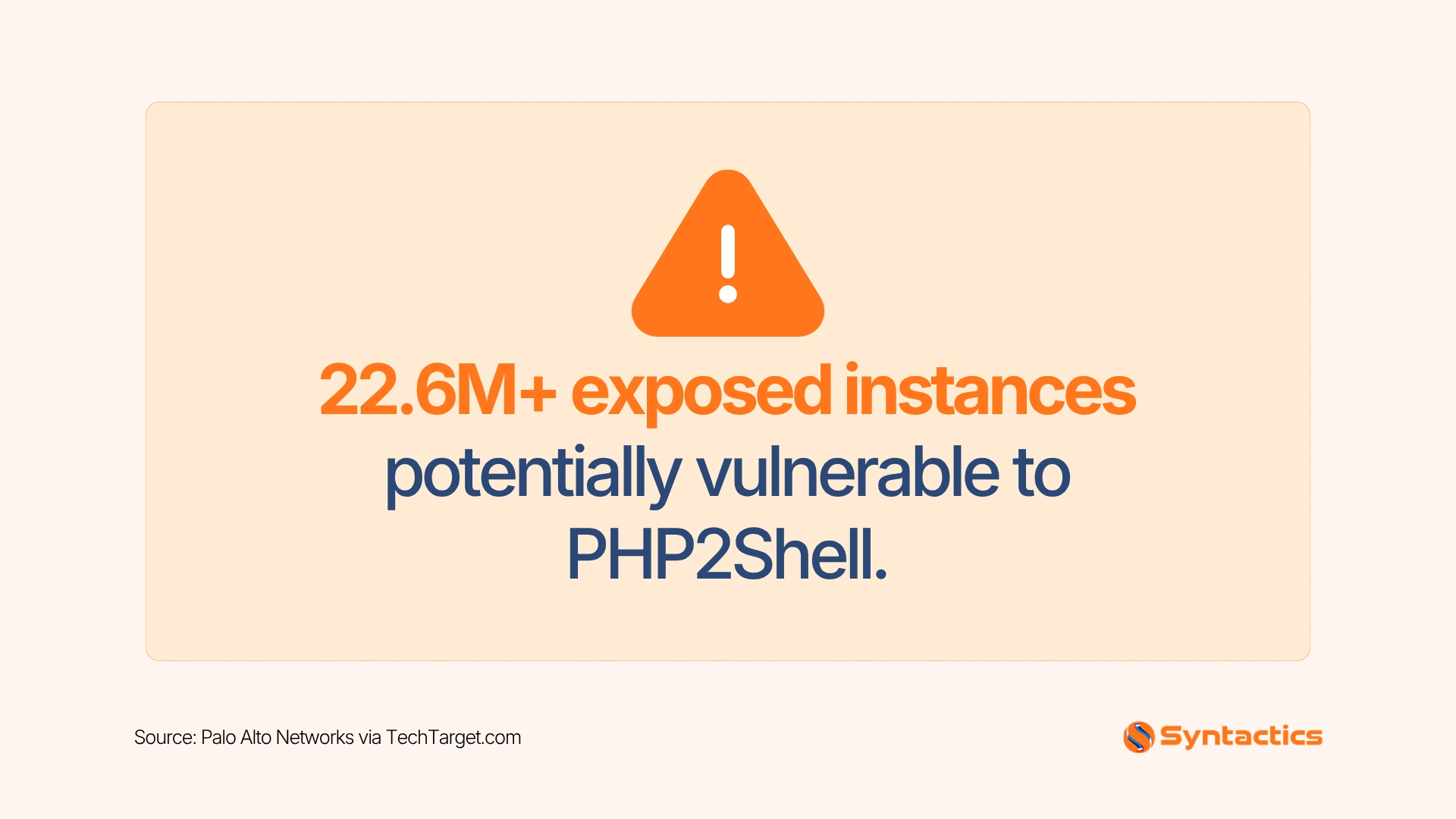
Source: Palo Alto Networks via TechTarget.com.
PHP2Shell at a Glance: Who Is Affected and What to Know
PHP runs sites built on WordPress, Drupal, and Joomla. The flaws are labeled CVE-2026-109618 and CVE-2026-109619, and security researchers call the risk remote code execution. An attacker could read customer records, change your pages, or shut down your site.
Affected PHP versions run from 5.4 through 8.5.11. The PHP project published fixed releases numbered 8.2.35, 8.3.36, 8.4.27, and 8.5.12 in its official release announcement. Your developer or hosting provider knows which version your site runs.
Researchers at the AI firm Calif and Google’s Wiz identified the flaws in mid-August by using AI models in their search, according to CNBC. PHP’s reach explains the global response. Canadian government sites went offline as a precaution, and Wikipedia took community tools offline.
Exposure depends on your version and patch status. Newsweek draws a clear line between using PHP and running a vulnerable installation. On the day of disclosure, the PHP Foundation told CNBC it saw no evidence of working exploits. Treat this as a window to act. Attackers move fast once details circulate.
How PHP2Shell Affects Your Search Rankings
Two routes lead to ranking loss: downtime and compromise.
Downtime comes first.
Many organizations pulled sites offline within hours of the announcement. Reuters reported government, school, and hospital websites across Europe going dark on October 21. The US National Security Agency advised taking sites offline when updates were not possible right away. Google reads repeated errors as a sign of an unreliable site. Long error periods push pages down in results and out of the index.
Compromise brings more serious damage.
Attackers insert spam pages, hide redirects, and show Google content that differs from what your visitors see. Google responds with security warnings in Search Console and in browsers. Visitors who see a warning screen leave, and click-through rates fall. Cleanup and Google review add time before warnings disappear.
AI search tools draw on the same crawled pages. Errors and injected spam also hurt your visibility in AI answers.
How to Take a Site Offline Without Losing Rankings
A 503 status code is the signal Google recommends for a planned pause. It tells Google your site is temporarily unavailable and will return.
Google’s John Mueller gave this advice on October 21, and he recommended avoiding timeouts, 404 errors, and 500 errors, as Search Engine Roundtable reported. His tip for the setup: serve the 503 outside PHP, at the content delivery network or DNS level, since PHP is the part under repair.
Keep the pause to hours. Longer outages call for a static version of your key pages. Google’s guidance on pausing or disabling a website covers both cases. Page titles and search settings stay unchanged during the outage.

What PHP2Shell Means for Your Business
Rankings represent one part of the exposure. Five business areas need attention.
- Customer data. Orders, contact details, and login records sit on the same server as your website. Laws such as the EU’s GDPR require breach notification, often within 72 hours.
- Revenue. Online stores lose sales every hour offline. Black Friday arrives on November 27, so downtime costs more right now.
- Advertising. Google Ads and Meta reject ads that lead to hacked or unsafe pages. Rejected ads stop your campaigns during your busiest sales weeks.
- Email. A hijacked server sends spam under your domain name, which damages inbox placement for your real messages.
- Trust. Customers who meet a browser warning tend to leave.
A planned pause of a few hours costs far less than a cleanup after a compromise. Make the decision now.
Five Steps to Secure Your Website Against PHP2Shell
- Ask your developer or hosting provider for the PHP version running your site. Request the answer in writing.
- Upgrade to 8.2.35, 8.3.36, 8.4.27, 8.5.12, or a newer release. Sites on older versions need a migration plan, tested on a copy of the site first.
- Treat WordPress updates and the PHP upgrade as two separate jobs. Automattic stated that updating WordPress, themes, or plugins alone leaves the PHP flaw open.
- Back up your files and databases before any change. Our WordPress website design and development team handles backups, updates, and uptime monitoring. Add a web application firewall, a filter that blocks harmful requests before they reach your site.
- Take the site offline with a 503 response if patching must wait. The NSA and CERT-EU advise going offline or isolating public-facing applications in that situation, as Cybernews summarized.
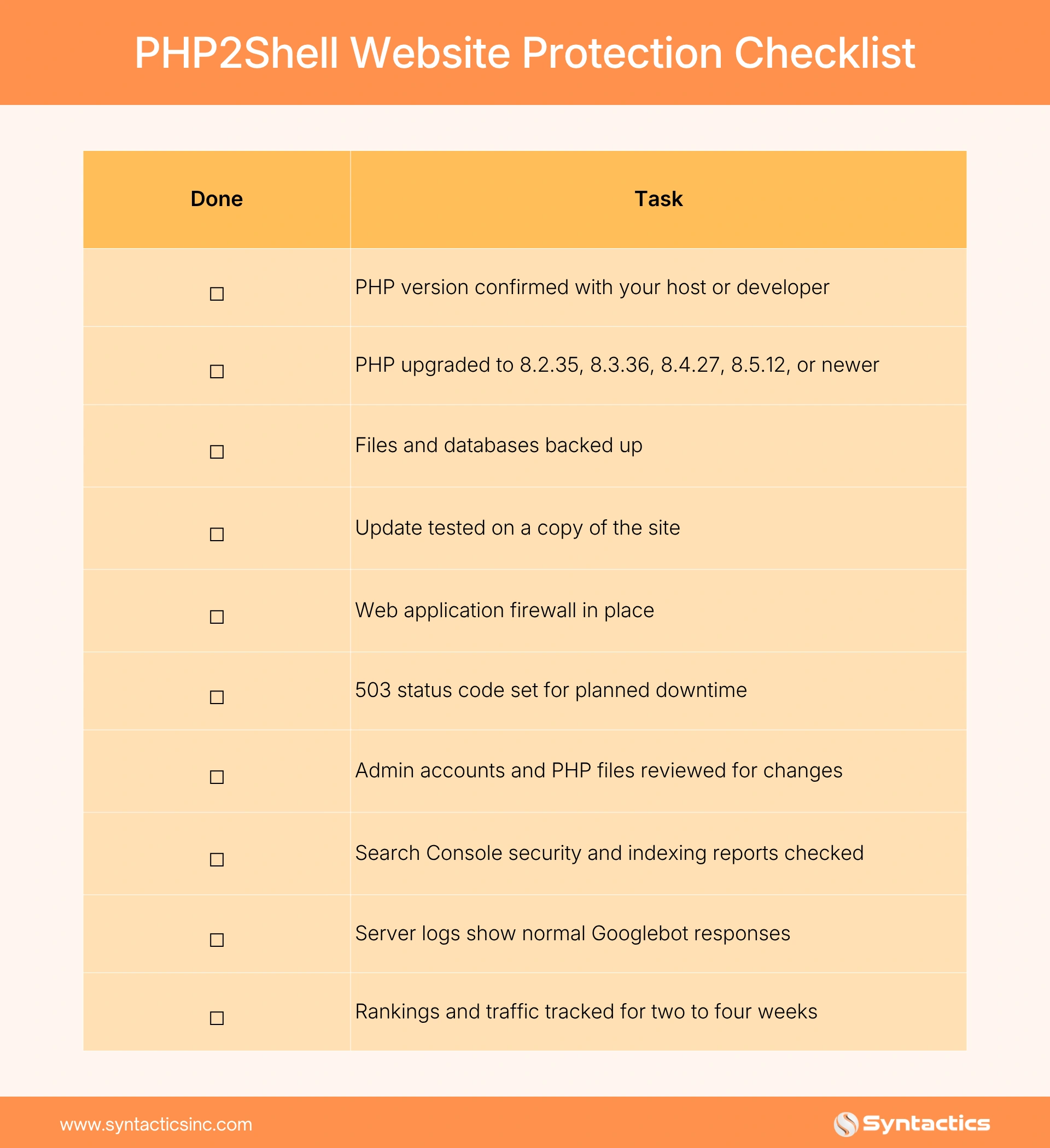
PHP2Shell Website Protection Checklist
This checklist helps you confirm your website runs a patched PHP version and maintains search visibility during the update.
Check Your Search Health After the Fix
A quick review after patching can catch hidden damage early.
- Open Google Search Console and read the Security issues and Manual actions reports.
- Check the Page Indexing report for spikes in server errors or missing pages.
- Search site:yourdomain.com on Google and look for unfamiliar pages, such as pharmacy or foreign-language spam.
- Ask your developer to review server logs for normal responses to Googlebot.
- Track rankings and organic traffic for two to four weeks.
How Syntactics Helps Protect Your Search Visibility
PHP2Shell puts your rankings, revenue, and customer trust at risk until your site runs a fixed PHP version. A planned patch with a 503 pause, followed by a post-patch review, protects all three.
Syntactics offers SEO services in the Philippines for businesses worldwide. Along with our development experts, our team handles the search side: we audit indexing, review security reports and server logs, flag spam pages, and track your rankings until they recover.

Frequently Asked Questions
What is PHP2Shell?
PHP2Shell is the nickname for two critical PHP flaws, CVE-2026-109618 and CVE-2026-109619, disclosed on October 21, 2026. Attackers who exploit them can run commands on a web server without logging in.
Is my website affected by PHP2Shell?
Your site is affected when it runs PHP versions 5.4 through 8.5.11. Ask your host for your version. Fixed releases are 8.2.35, 8.3.36, 8.4.27, and 8.5.12.
Will patching hurt my Google rankings?
Short, planned downtime with a 503 response carries low risk. Errors, timeouts, and long outages can hurt rankings and indexing.
Does updating WordPress fix PHP2Shell?
The flaw is in PHP itself, so WordPress updates won’t close it. Your host or developer must install a fixed PHP version.
How do I know if my site was hacked?
Warning signs include Search Console security alerts, unfamiliar pages in search results, unknown administrator accounts, and unexpected redirects.

About Ladymieh Naallatan
Related News:






Comment 0