

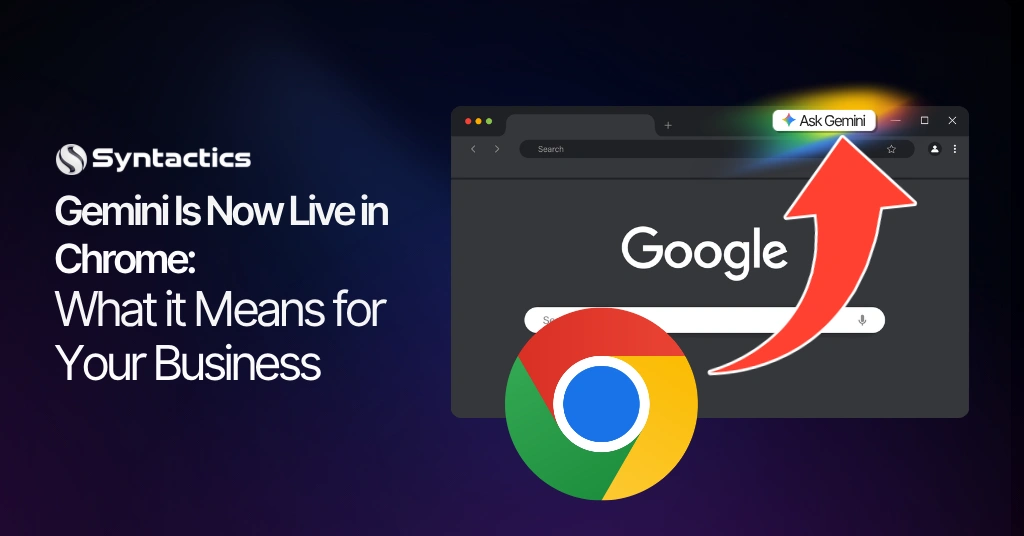
Gemini Is Now Live in Chrome: What it Means for Your Business
Google has introduced Gemini in Chrome, an AI tool built right into the browser. With Gemini, you can get help without switching tabs or opening another app. It helps you find key points, clarify ideas, get answers, and more.
Gemini in Chrome looks at the content in your current tab to give you the most relevant answers. On desktop, you can share up to 10 open tabs with Gemini at once, making it especially useful for business users.
Essentially, Gemini is different from a typical chatbot. It only activates when you choose, either by clicking the Gemini icon or using a keyboard shortcut. When you open it, Gemini already understands what you are viewing. You do not need to copy or paste anything, just ask your question.
TABLE OF CONTENTS
Key Takeaways
- Google has launched Gemini in Chrome, an AI assistant built directly into the browser that reads your active tabs in real time.
- You can share up to 10 open tabs at once, turning multi-tab research from a manual task into a seconds-long query.
- Connected to Google Workspace, Gemini can summarize Gmail threads, create Tasks, and schedule Calendar events without leaving the browser.
- The feature operates on an opt-in, admin-controlled model, giving businesses clear governance over when and how AI is engaged.
- For businesses, this accelerates research, shortens content review cycles, and reduces the risk of missing critical information across tabs.
- How your website is structured now affects how accurately Gemini and similar AI tools represent your business to users.
What Gemini in Chrome Actually Does
Once you opt in, Gemini in Google Chrome turns your browser into an active research and execution layer. It doesn’t just surface information. It interprets, connects, and acts on it.
You can use it to:
- Summarize key takeaways from long articles.
- Reframe complex topics into simpler explanations.
- Compare or consolidate information across multiple pages.
- Generate recommendations based on your preferences.
- Execute multi-step tasks directly in the browser.
- Draft messages and send them via Gmail.
Multi-Tab Awareness: Where It Becomes Practical
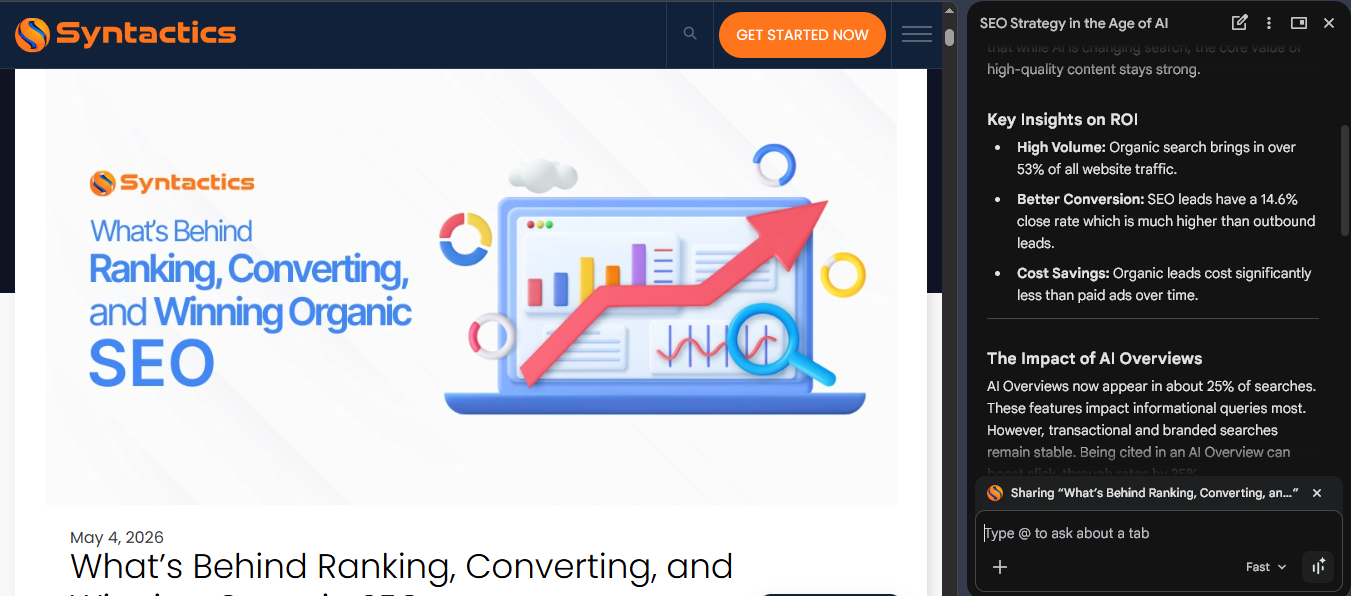
The standout capability is multi-tab awareness, and it’s where most businesses will find it immediately useful.
Say a procurement manager has six vendor comparison pages open. Instead of switching between tabs, copying specs into a spreadsheet, and manually building a comparison, they can ask Gemini to do that synthesis on the spot.
With Gemini,
- It scans all open tabs simultaneously;
- Extracts relevant data points;
- Structures comparisons instantly, and
- Highlights trade-offs, pros, and gaps.
Deep Integration With the Google Ecosystem
Gemini becomes even more useful when you connect it to Google Workspace. It shifts from being just an assistant to becoming part of your daily workflow.
Once connected, it can:
- Summarize email threads inside Gmail;
- Create and manage tasks in Google Tasks;
- Schedule events in Google Calendar, and
- Cross-reference inbox context with active browser content.
For teams already running on Google Workspace, that integration is not trivial. It means Gemini can pull context from your inbox, cross-reference it with a web page you have open, and help you act on it without leaving your browser.
The feature is currently rolling out to users in the US, Canada, India, and New Zealand. Over time, it is also expected to have broader availability expected across supported regions including Australia, the UK, Singapore, and the Philippines.
The Business Impact: Where This Actually Changes Daily Work
Among the latest Google Chrome AI features, this one has the most immediate effect on how knowledge workers operate day to day. Here is where the difference shows up.
Research and due diligence move faster.
Any role that requires absorbing large volumes of web-based information, such as legal research, market analysis, competitor monitoring, procurement gets meaningfully faster. Reading ten pages and asking Gemini to extract the three most relevant points for your specific situation is a different workflow from reading ten pages manually.
Content review and approval cycles get shorter.
Marketing and content teams can use Gemini to review briefs, references, and drafts across several tabs. Gemini can point out inconsistencies, check if content matches the brief, or summarize sources for decision-makers who do not have time to read everything.
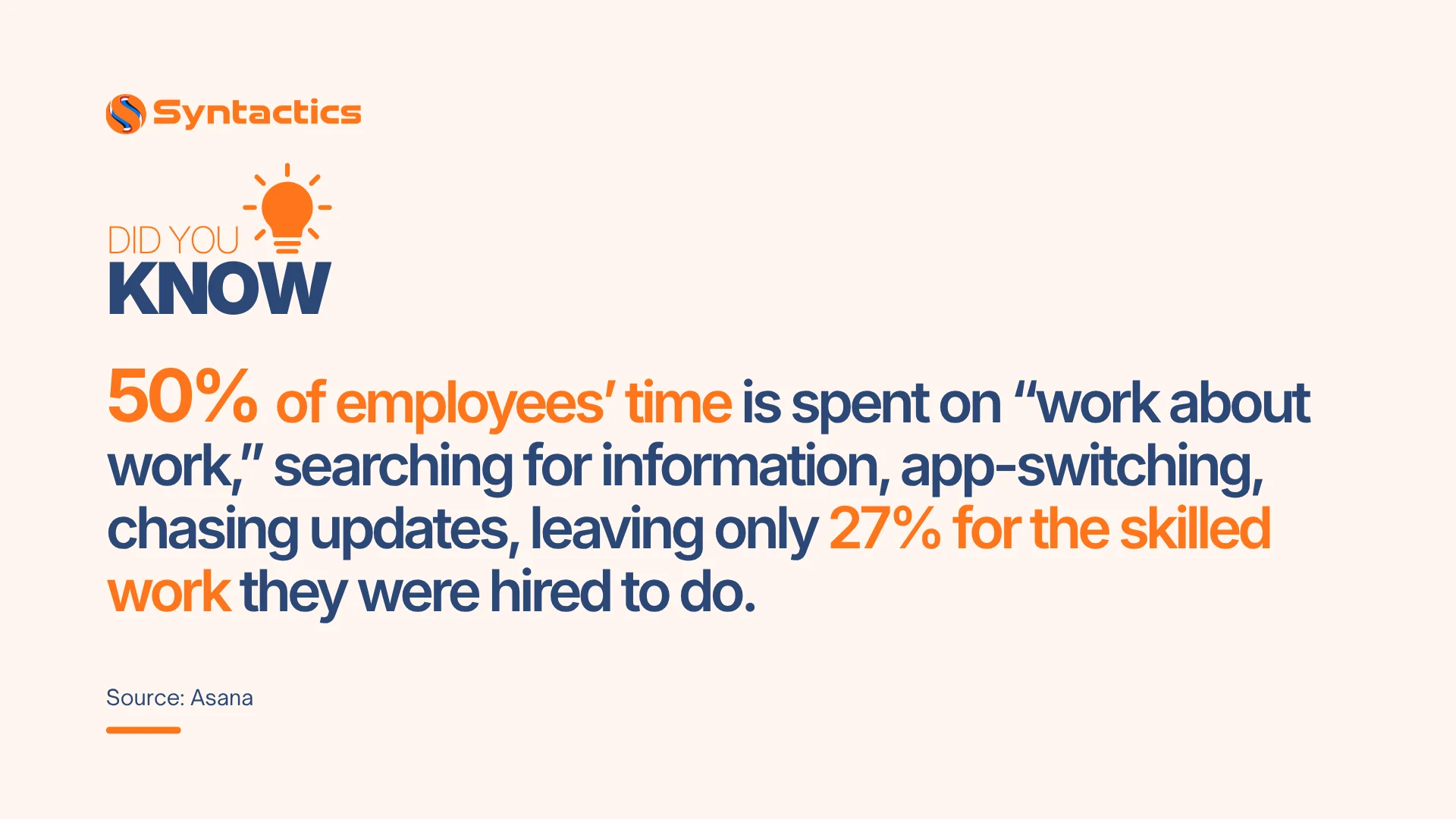
Source: Asana.
Client-facing tasks benefit from faster context-switching.
Account managers who move between client portals, CRMs, and emails can use Gemini to pull together the key details before a call, without needing to make a separate prep document.
Parallel tab analysis improves coverage and clarity.
Gemini in Chrome can review all your tabs at the same time. It brings together key details, points out differences in claims or prices, and highlights important information you might miss. Instead of doing this work yourself, you get a clear, side-by-side view that helps you compare options and make better decisions.
While it’s true that it supports your decision-making, Gemini doesn’t have the context on your client relationships or internal priorities. What it does well is handle the repetitive work. It reads, summarizes, and organizes information so you can focus on evaluating options and making decisions.
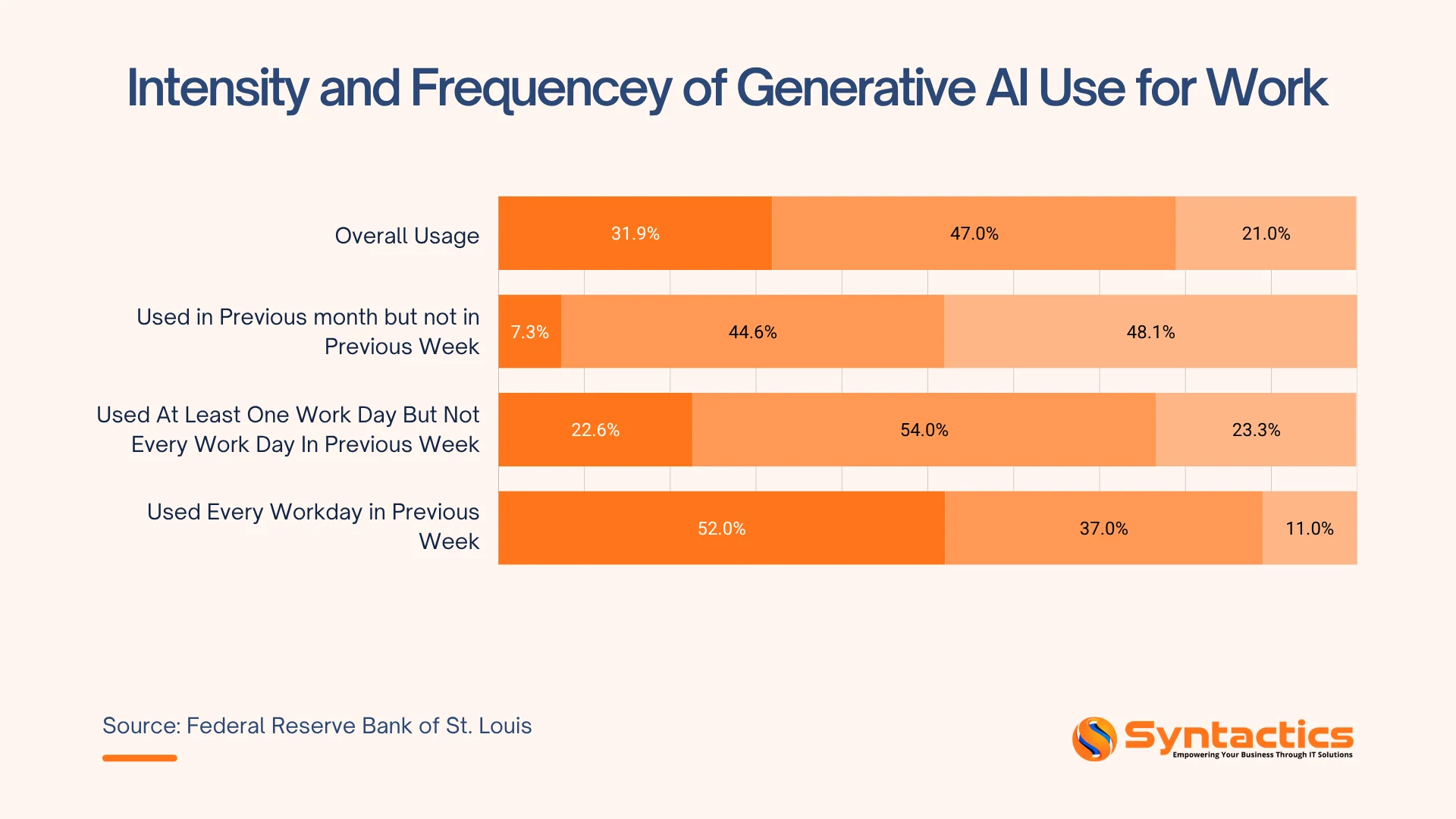
Source: Federal Reserve Bank of St. Louis.
Privacy and Control: What Businesses Need to Know
Before rolling this out across a team, review how access and data handling are configured. Gemini in Google Chrome follows an admin-controlled model when used with a work or school account.
- Access is enabled and managed by your administrator.
- Policies can be aligned with existing IT and compliance standards.
- User activity stays within the boundaries set by your organization.
Keep in mind that Gemini can use public data from sources like Google Search, Google Maps, and YouTube to give better answers. For most teams, this is a helpful feature.
For businesses handling sensitive data or operating under strict governance:
- Review what inputs are shared with the tool.
- Clarify how responses are generated and stored.
- Confirm alignment with internal data policies and regulatory requirements.
Additionally, Gemini operates on an explicit, opt-in basis.
- It activates only when prompted.
- It does not run passively in the background.
- Users decide when and how to engage.
This model gives teams clear control over when AI is involved. For organizations cautious about always-on AI, this distinction matters.
AI Is Moving Into the Tools You Already Use
Gemini in Chrome is part of a bigger trend. AI is moving from separate apps into the tools you already use. Microsoft has added Copilot to Edge and Office, and Apple has built similar features into Safari and iOS.
For businesses, the main challenge is not getting access to these tools, but using them effectively in daily work.
- Teams with embedded AI move faster on research and execution.
- Insights are generated in context, not after the fact.
- Decisions happen closer to the source of information.
A browser-level assistant changes the workflow. It reads what your team reads and organizes it in real time.
That’s a different level of efficiency compared to standalone chatbots that people open occasionally.

Final Thoughts
Tools like Gemini in Chrome are changing how people find, read, and summarize content. When someone visits your website in Chrome and asks Gemini a question, the answer depends on how clearly your content is organized. This matters most when AI summarizes your company, your services, or how you compare to competitors.
If your pages are poorly organized, have little content, or lack structured data, it does more than hurt your search ranking. It can also lead to inaccurate or incomplete AI summaries that reach potential clients before your sales team does.
That’s why web structure, content clarity, and schema markup are now essential for business, not just technical nice-to-haves. Companies that do well in an AI-powered browsing world are those whose websites are easy for AI to understand, not just for search engines to find.
Ensure your website stays visible in AI-assisted browsing environments with strategic digital marketing support for growing global brands. Syntactics, Inc. supports businesses across Australia, the US, the UK, and Asia-Pacific regions. As a trusted digital marketing agency in the Philippines, we help companies keep up with how technology is changing buyer research and decisions. We can help you build a digital presence that works in an AI-driven world.
Elevate Your Brand In the Digital Landscape!

Frequently Asked Questions
What is Gemini in Chrome?
Gemini in Chrome is an AI assistant built directly into the Google Chrome browser. It reads the content of your active tabs and responds to queries about that content, without requiring you to copy or paste anything into a separate tool. On a desktop, you can share up to 10 open tabs with Gemini at once.
Does Gemini in Chrome run in the background without my input?
No. Gemini in Chrome operates on a strict opt-in basis. It activates only when you deliberately open it via the Gemini icon or a keyboard shortcut. It does not monitor your browsing passively or send data without a user-initiated action.
Can my business control who has access to Gemini in Chrome?
Yes. When accessed through a work or school Google Account, Gemini in Chrome is governed by administrator settings. You can enable, restrict, or configure access in line with your existing data governance policies.

About Jalou Batilong
Related News:










Comment 0