When you’re creating blog posts, optimizing for particular Search Engine Results Pages (SERPs) is essential. But if multiple articles target the same or similar terms, your content ends up competing with itself, a problem commonly called keyword cannibalization. It’s one of the more frustrating SEO issues because nothing looks obviously wrong at first glance. Your…
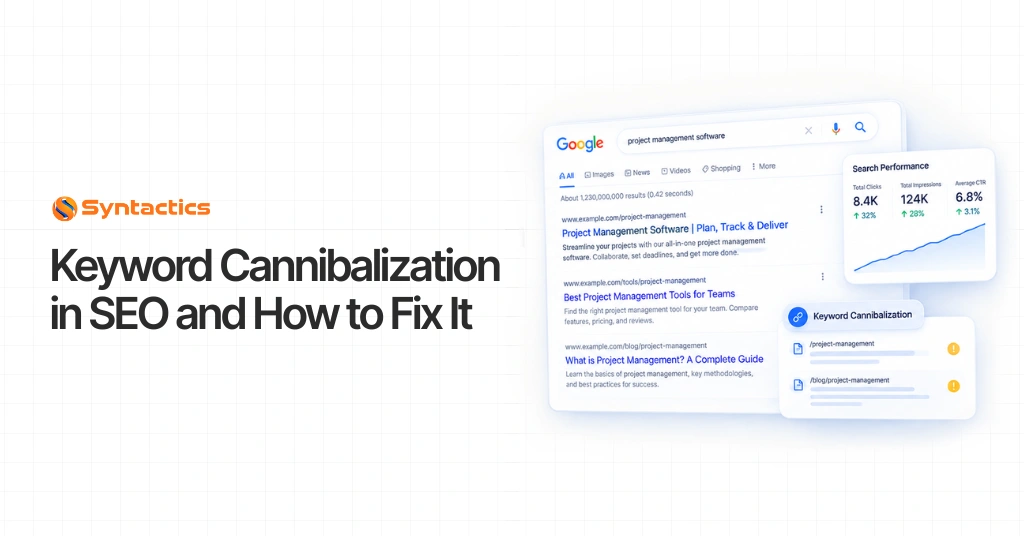
When you’re creating blog posts, optimizing for particular Search Engine Results Pages (SERPs) is essential. But if multiple articles target the same or similar terms, your content ends up competing with itself, a problem commonly called keyword cannibalization. It’s one of the more frustrating SEO issues because nothing looks obviously wrong at first glance. Your pages are ranking. They’re just not ranking as well as they should.
This issue can prevent your pages from ranking effectively and dilute your overall SEO efforts. To protect your visibility, identify and fix keyword overlaps early, before they quietly erode your rankings over months.
Organic keyword research tools like Moz, Ubersuggest, and AnswerThePublic can help you catch overlapping topics before they turn into full-blown cannibalization, and they’re worth building into your regular content workflow.
In short: Keyword cannibalization happens when two or more pages on your site target the same or nearly identical search query, forcing them to compete against each other instead of your competitors. The fix usually involves merging, redirecting, or clarifying which page should rank.
Keyword search intent is one of the first things to consider in any SEO strategy. Before you write a word, you need a focus keyphrase to build your content around. The trouble starts when your blog or website has a large content pool and multiple articles cover the same topic. Those articles may then rank for the same search query on SERPs, sometimes using the exact keyphrase, sometimes a version that’s only a few letters off.
Ask yourself: are the topics too similar? Did you reuse the same keyphrase without realizing it? Keyword cannibalization is one of the biggest problems SEO professionals try to avoid, so you should regularly check your website for it.
You need to check whether your content pool is competing against itself because, ultimately, Google decides which of your articles ranks, and it can only pick so many. Cannibalization can affect websites of any size, from a five-post blog to an enterprise site with thousands of pages, so it’s worth watching for at every stage of growth.
Why Is Keyword Cannibalization Detrimental to SEO?
When posts are optimized for overly similar search queries, they end up competing with each other for a spot on the first page of results. Google typically shows only a handful of results from a single domain for any given query. For most domains, that cap sits around two; if you’ve built strong domain authority, you might get away with three.
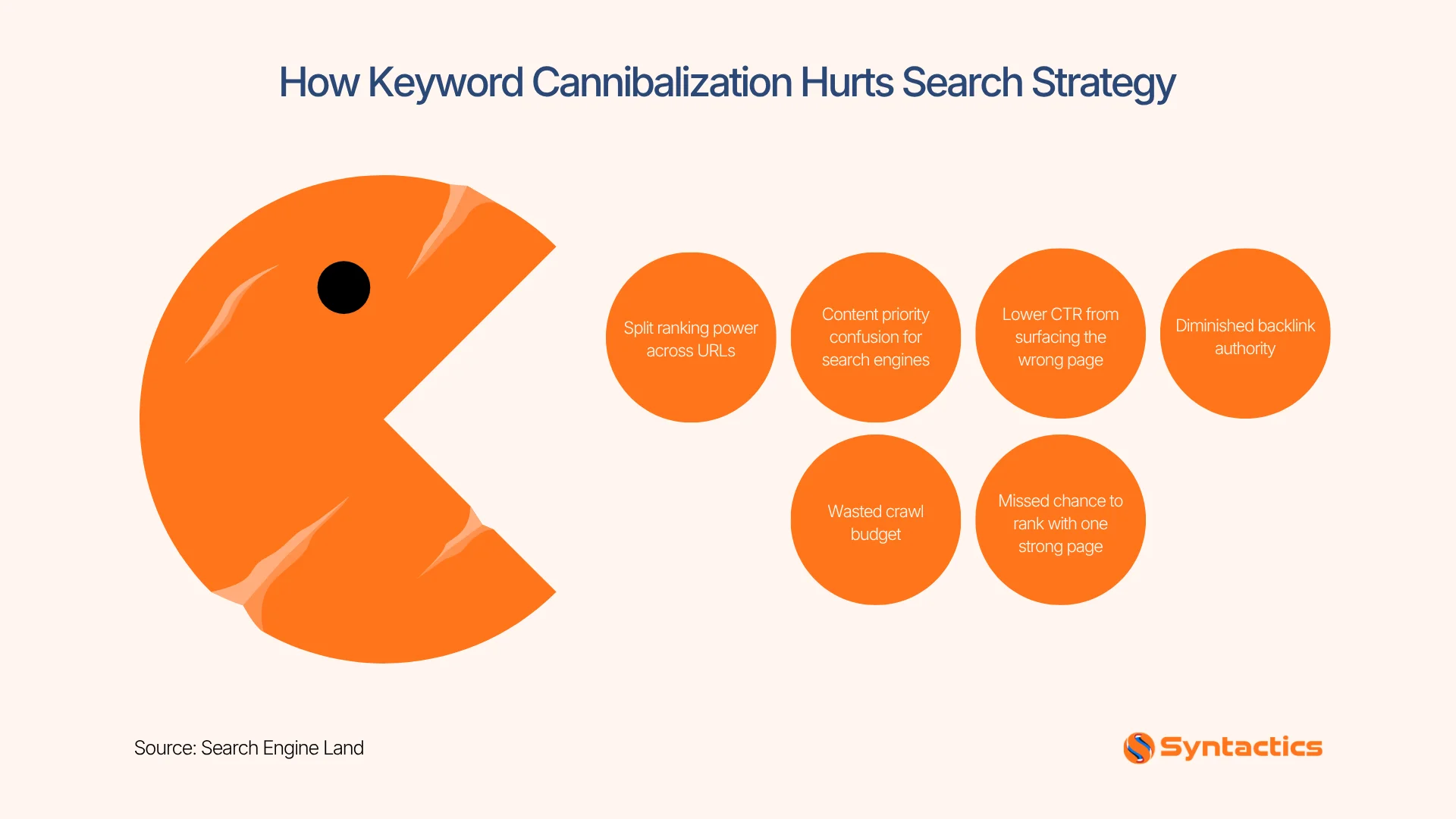
So if you have more than two or three articles ranking for the same query, you’re sabotaging your own chances at a stronger position. Keyword cannibalization means you’re no longer just competing with other websites; you’re competing with yourself, and Google can’t tell which of your articles deserves to rank higher.
Google uses roughly 200 known ranking factors, including domain authority, content length, and backlinks. When posts suffer from cannibalization, they split CTR, links, content relevance, and often conversions between them, even if each post has decent backlinks and solid fundamentals. The result: they all rank lower than they should.
The Effects of Keyword Cannibalization on SERPs
You can spot several telltale red flags directly in search results. Your rankings might fluctuate wildly, or they might stall out entirely. Here’s what each effect looks like in practice:
URLs with ever-changing rankings. Cannibalization can cause your search ranking position to shift frequently. If you notice this, it typically means Google is conflicted about which of your pages should rank over the other.
Fluctuating positions in rankings. When rankings swing too much, it often points to conflicting search intent or inconsistent content quality between competing pages. Your site traffic will fluctuate right along with it.
Rankings that refuse to progress. If your site’s rankings seem stagnant despite strong backlinks and genuinely valuable content, cannibalization may be the cause. Your page authority is essentially getting spread across two or more URLs, so none of them ranks as well as it should on its own.
The wrong URL is ranking. Sometimes you’ll check your rankings for a target query only to find a different page from your own site has taken its place. When this happens, Google has decided that URL is more relevant than the one you intended to rank.
How to Check for Keyword Cannibalization
A simple search can confirm whether your site is affected. If you’re using the WordPress Yoast plugin, it will also flag warnings when you’re optimizing content for a keyword you’ve already used elsewhere on the site.
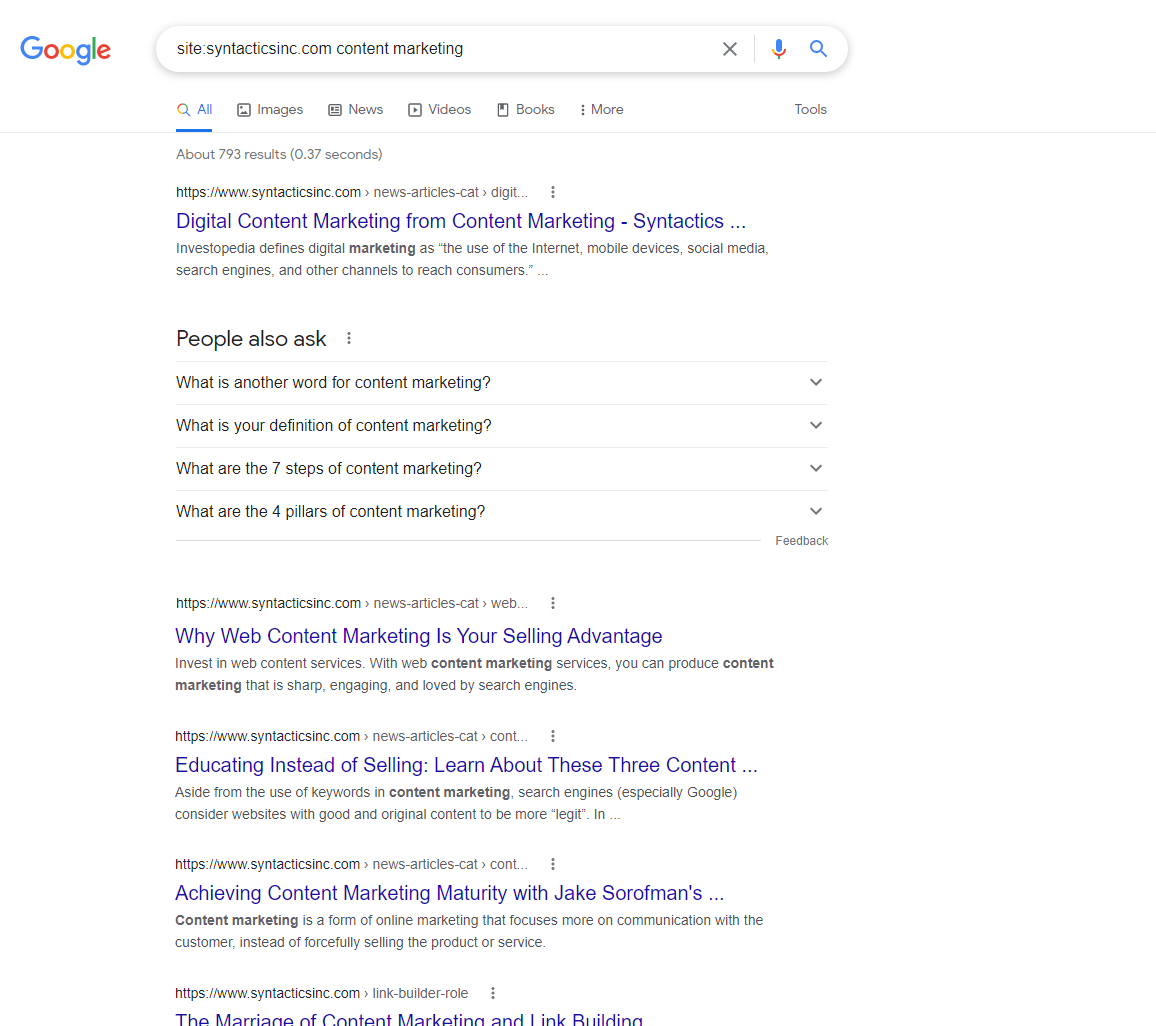
To check manually, use this search format:
site:yourdomain.com keyword phrase
Your keywords should include the query you suspect might be cannibalized. For example, searching site:syntacticsinc.com content marketing shows which pages on that specific domain are currently competing for that term.
Once you have your results, check the positions of your pages. If two of your URLs occupy the top two spots, you’re likely fine; that’s a normal, healthy outcome. But if your pages are scattered across other positions, or if a page you didn’t expect is outranking your intended target, it’s time to fix the issue.
How to Fix Keyword Cannibalization
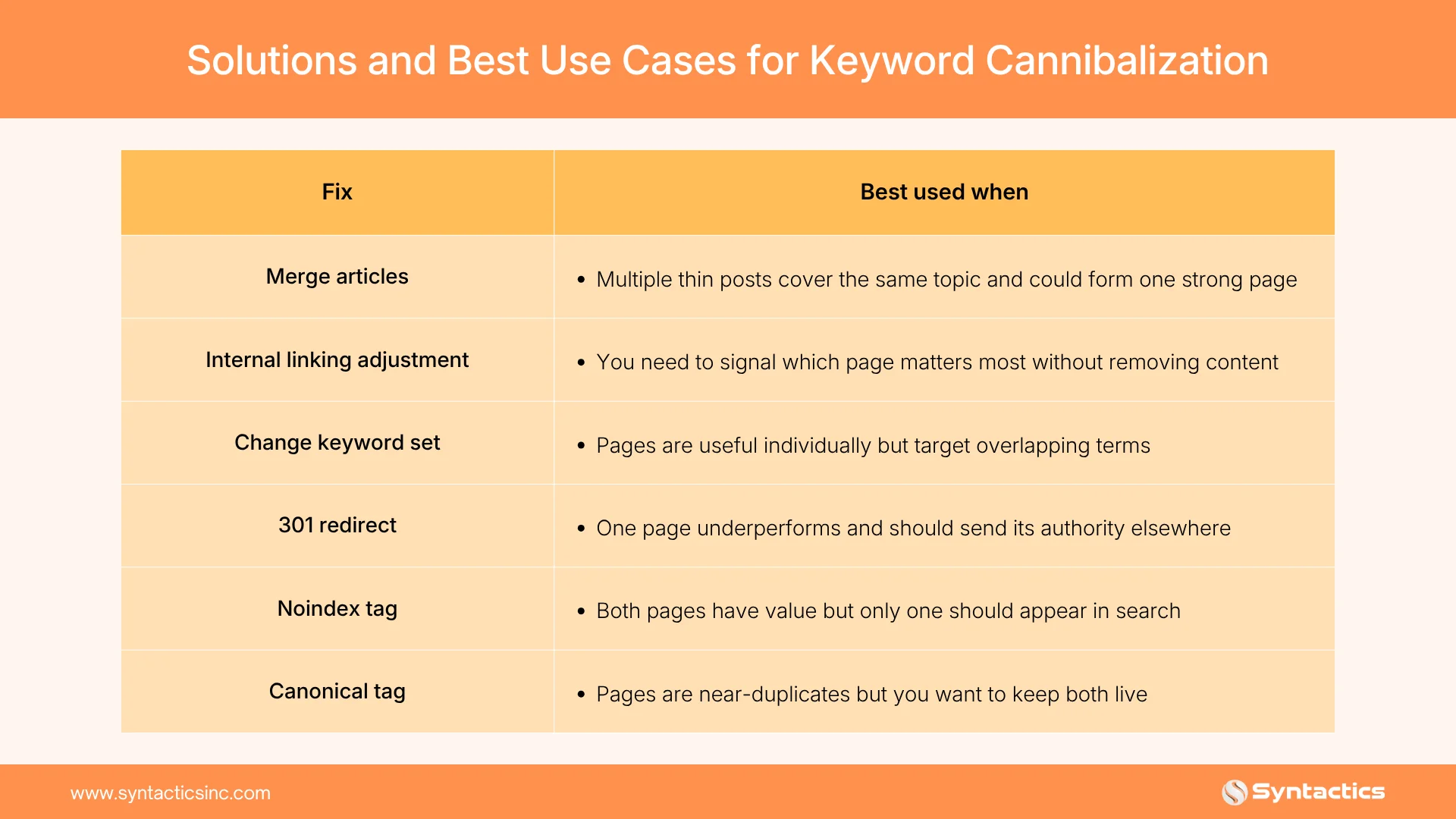
Follow these steps to resolve cannibalization once you’ve confirmed it’s happening on your site:
1. Do a content audit
Examine your content thoroughly to identify which pieces suffer from keyword cannibalization. It’s important to see how each post actually performs on SERPs rather than assuming based on publish date or word count.
Semrush’s Position Tracking Tool can help detect cannibalization, andYoast can flag whether you’ve reused an exact focus keyphrase across multiple posts. Be thorough here; this audit determines which articles need merging, redirecting, or deleting, and it sets up every step that follows.
2. Merge similar articles
Once you understand the scope of the problem, decide which pages to keep, merge, or remove. If you have several pieces covering one topic, consider combining the weaker-performing ones into your strongest post. Merging can even strengthen your internal linking structure, and Google tends to reward longer, more comprehensive content over several thin, competing posts.
3. Rely on your internal linking structure
Search engines appreciate awell-structured internal link profile that helps them identify your most important pages. Link less essential posts toward the ones you want to rank, so Google gets a clear signal about which page should actually appear in SERPs.
4. Be careful with product pages in online stores
Online shops are especially prone to cannibalization, particularly when similar products are optimized for the same terms. Link back from each individual product page to a designated category page; the category page is usually what should rank, not the individual product listings. Watch out for older product pages, too; they can cannibalize newer, more relevant listings.
5. Change up your keyword set
One straightforward fix is adjusting your focus keywords so they don’t conflict with other articles on your site. If a piece has been live for a while, consider adding new supporting keywords, especially long-tail variations, as part of a broader content refresh.
6. Use a 301 redirect
If a URL isn’t getting enough attention and is dragging down another page’s ranking, a301 redirect can help. This tells search engines that one page is more relevant than the other, sending traffic and authority from the weaker duplicate to the stronger, more popular page.
7. Use a noindex tag when both pages have value
If you want to keep two pages because they each serve a genuine purpose, anoindex tag often works better than a redirect. It blocks search engines from indexing a page while still allowing it to be crawled, meaning the page stays live and useful without competing in SERPs.
8. Use a canonical tag
If two pages share a topic and a near-identical focus keyphrase, but one is clearly more valuable, a canonical tag lets you signal that to search engines without deleting either page. Instead of competing on the same keyword, use canonical tags to point back to the most relevant version. You keep both pages, but only one is treated as the ranking priority.
9. Monitor your content, especially if your site is new
A brand-new website may not face much cannibalization risk yet, but that risk grows as your site expands and your content pool deepens. Monitoring and tracking which topics and keywords each page ranks for is essential as you scale. A quick periodic search (the same site: check described above) is often enough to catch problems early.
Keep Your Search Engine Optimization Efforts Focused
Keyword cannibalization happens when two or more posts target similar keywords, often without anyone noticing until rankings start slipping. You might publish a piece and feel confident it’s in top shape, but it’s worth double-checking that it isn’t quietly competing with something you published months earlier. If Google finds that more than one of your pages covers the same topic, your rankings will suffer.
To avoid these setbacks, audit your content regularly and address keyword overlaps as soon as you spot them. Partnering with anSEO company in the Philippines like Syntactics ensures your content is strategically optimized from the start, helping you resolve cannibalization issues and maximize long-term search visibility.
This article was updated on September 24, 2026.
FAQs About Keyword Cannibalization
What is an example of keyword cannibalization?
Keyword cannibalization happens when two blog posts target the same keyword, such as “best project management tools.” Instead of boosting rankings, both posts compete against each other. This splits traffic, reduces visibility, and keeps both pages from ranking higher in search results.
How do you detect cannibalization?
You can detect cannibalization by auditing your content with SEO tools like SEMrush, Ahrefs, or Google Search Console. Look for multiple pages ranking for the same keyword. If search engines struggle to determine which page is most relevant, that signals keyword cannibalization.
Why is keyword cannibalization bad in SEO?
Keyword cannibalization is harmful because it confuses search engines, weakens domain authority, and reduces your chances of ranking well. Instead of one strong, authoritative page, you end up with several competing ones. This can lower click-through rates, weaken backlinks, and cause significant traffic and conversion losses.
Jalou Batilong
About the Author
Passionate about turning strategies into success stories, Jalou Batilong leads the Online Marketing Division at Syntactics, Inc. With over 12 years of experience in digital marketing, she shares expert insights on SEO, content strategy, and online trends that elevate businesses in the digital space.