

Why Keep Your Antivirus Software Updated?
Are you one of those who often dismiss pop-up reminders to update your antivirus software? While they may seem inconvenient, those updates are essential for protecting your computer from ever-evolving online threats. Antivirus software needs regular updates for a reason. Let’s discuss in this article why you should keep your antivirus software updated.
Key Takeaways
- Antivirus software relies on regularly updated signature files to recognize new threats. Outdated software can’t catch what it doesn’t know about.
- Viruses spread through removable media, file sharing, downloads, and suspicious emails, even from trusted senders.
- No antivirus software protects against every threat; regular updates close the gap against newly created malware.
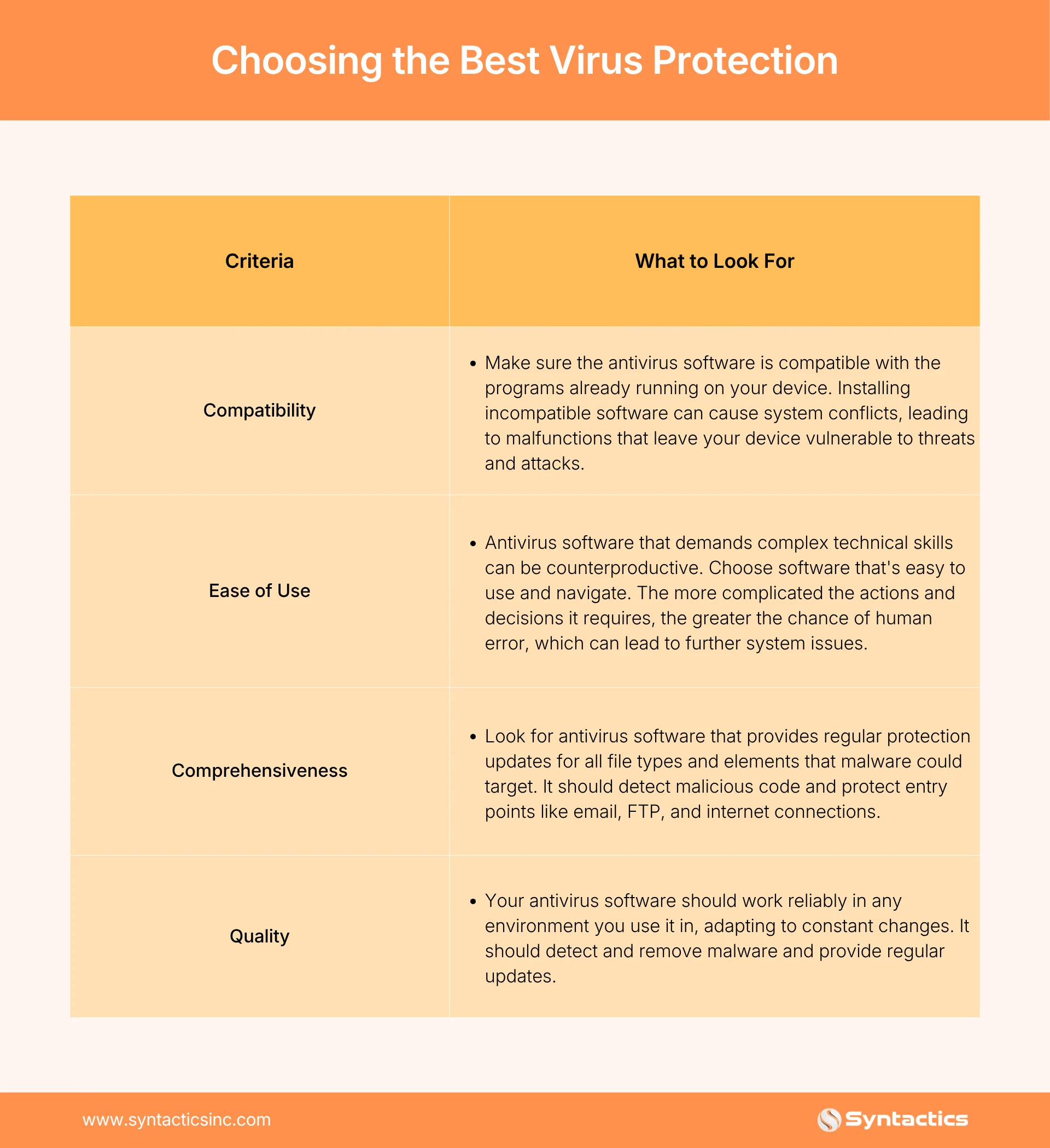
- When choosing antivirus software, weigh compatibility, ease of use, comprehensiveness, and overall quality.
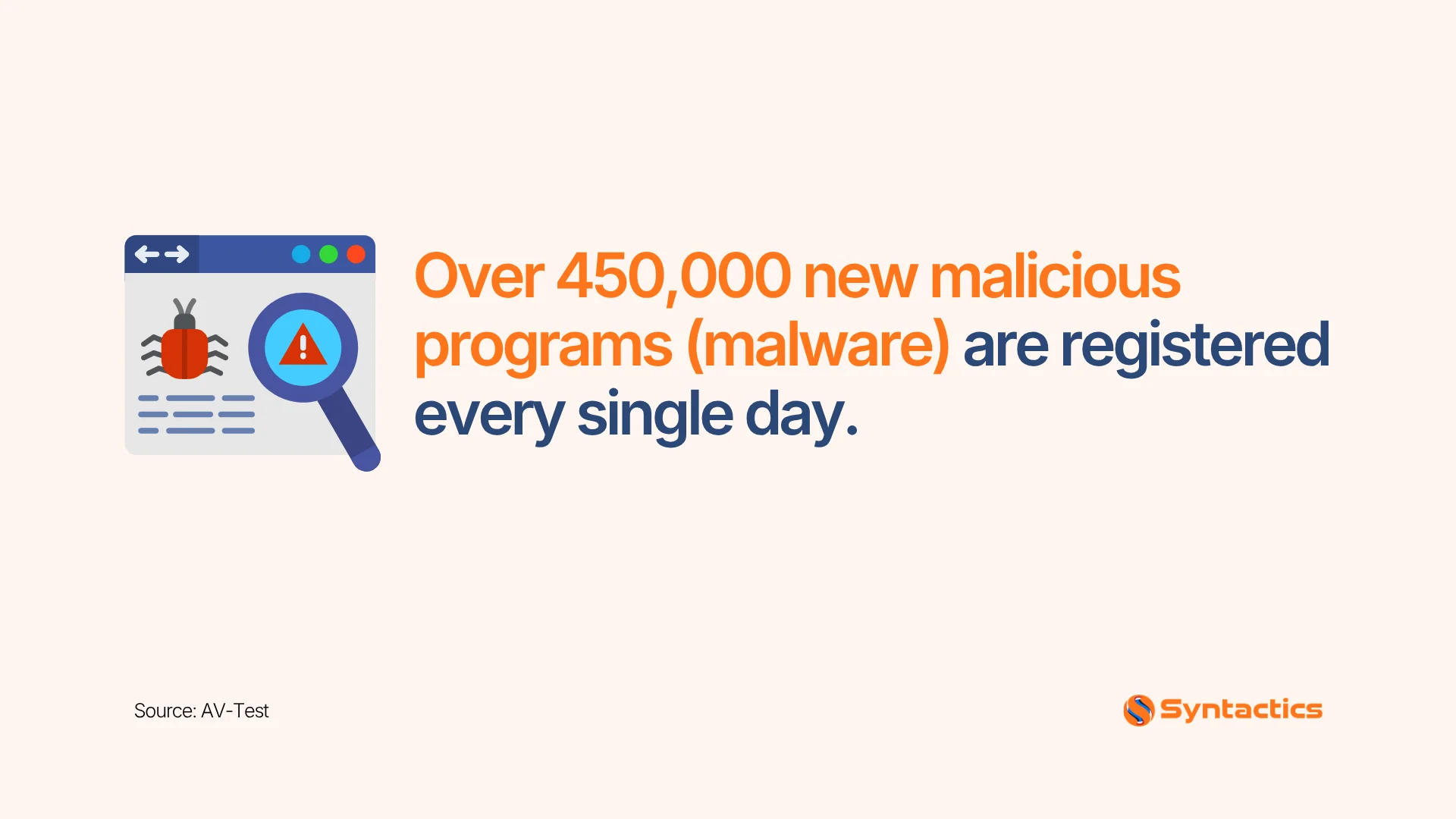
Source: AV-Test.
What Is a Computer Virus?
A computer virus is malicious software or malware that, much like an actual virus, replicates itself on any drive linked to a computer. When a computer virus infiltrates your device, it can slow it down or even stop it from functioning correctly.
There are a few common ways a virus can find its way onto your device:
- Removable media: Plugging in a USB stick or external drive that already contains a virus.
- File sharing: Transferring files between an infected device and yours, including through shared USBs.
- Downloads: Installing software or apps from untrusted sources online.
- Suspicious emails: Opening an email, often one that landed in your spam folder, and clicking on an attachment or link inside it.
Whenever you transfer or download files from another device or the internet, make sure you trust the source. And make it a habit to avoid opening emails or attachments from senders you don’t know or trust.
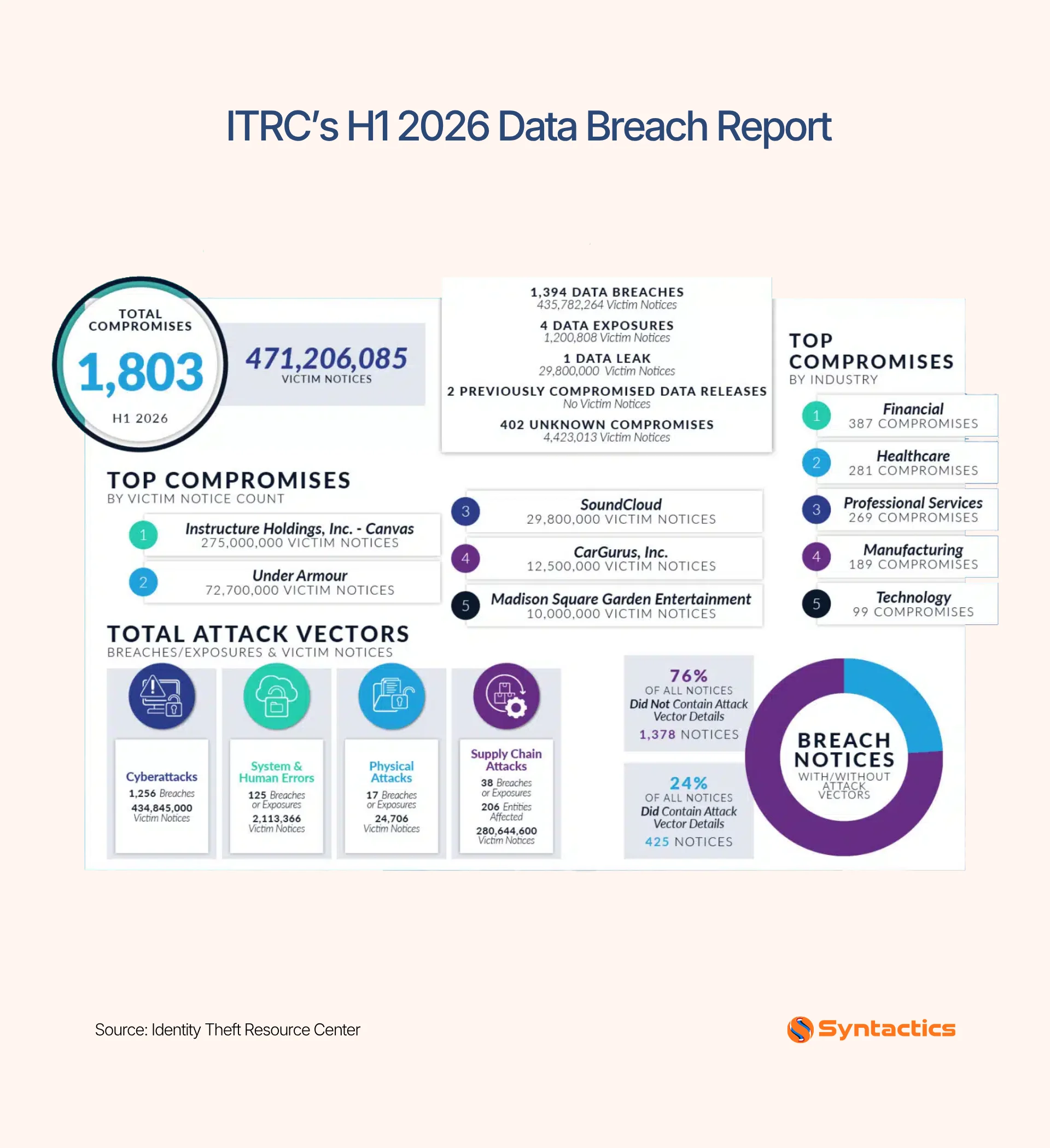
Source: Identity Theft Resource Center.
Popular Computer Virus Myths
Kaspersky, a leading antivirus software provider, has identified several common computer virus myths that many people still believe:
- Myth: Computer error messages mean virus infection. Not true. Sometimes, error messages appear because of software bugs or faulty hardware, not malware.
- Myth: Viruses and worms only activate through user interaction. Partially true. Viruses need their host file to run, but this can happen through an automated process. Worms, on the other hand, can execute and replicate themselves automatically once they’ve entered a system, no user interaction required.
- Myth: Email attachments from senders you know are safe. Not true. Malware often spreads by mass-emailing the contacts of an already-infected device. Even if you recognize the sender, be cautious opening attachments if you don’t know what’s inside.
- Myth: Antivirus software can protect your device from all threats. Not as much as we’d like. Antivirus software needs regular updating and improvement because new viruses and malware are created every day. Keeping your antivirus updated helps ensure your device is protected against the latest threats.
Why Update Your Antivirus Software?
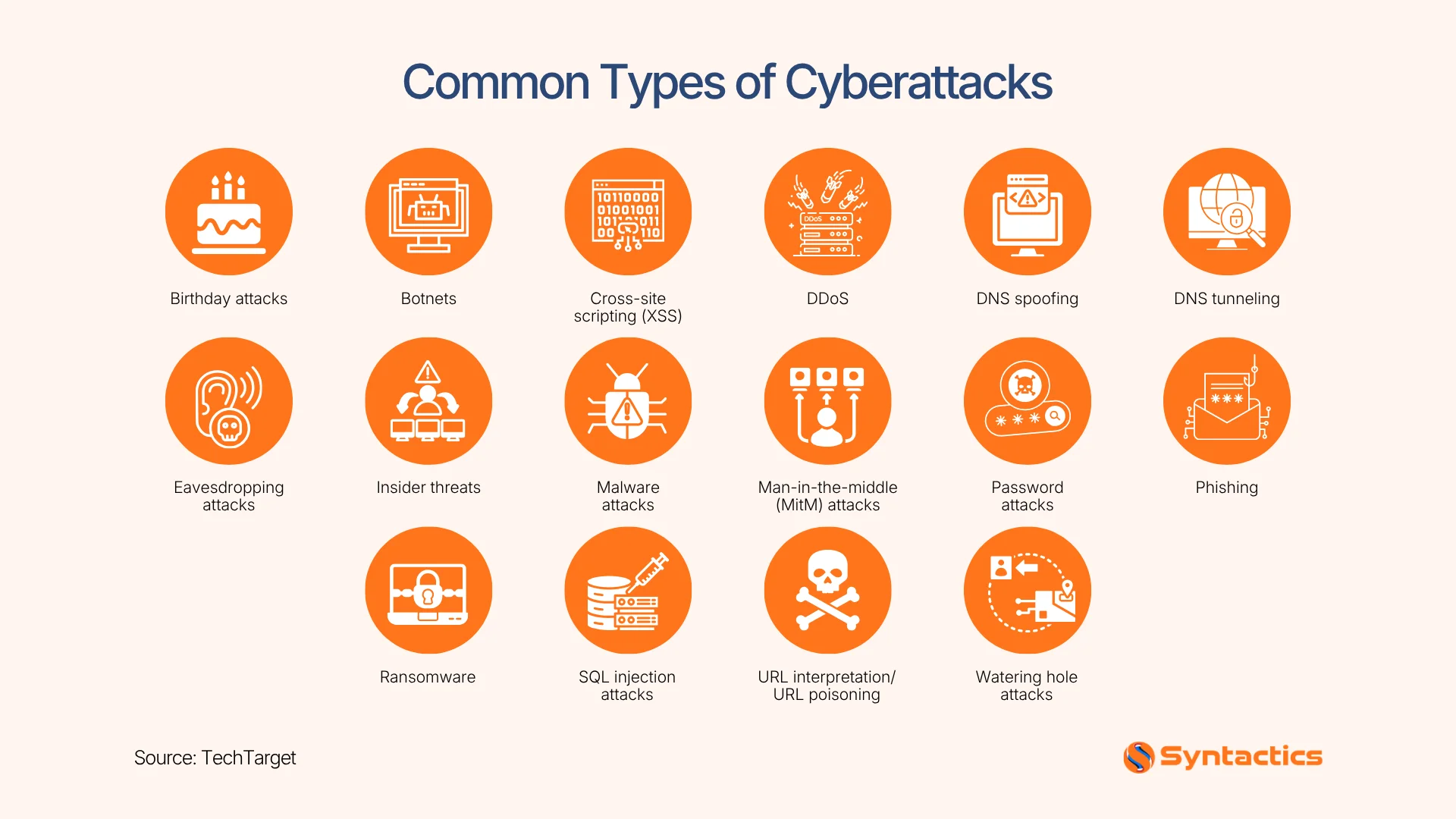
The most apparent reason to keep your antivirus software updated is that new viruses and other malware regularly attack computers. Every day, cybercriminals create more sophisticated viruses and malware that can harm not only your device but also your reputation, since they often target devices to access personal information.
As soon as your device gets infected by a virus or other malware, which could happen even while simply browsing the internet, computer worms begin rapidly spreading and infecting other devices connected to your network. Antivirus software gives your device the tools it needs to fight malware and protect your computer.
Antivirus providers regularly release signature files containing the latest list of known viruses. That’s why it’s best to set your antivirus software to update automatically, ideally at least once a day, so your device stays protected against new and emerging threats.
Source: TechTarget
Choosing the Best Virus Protection
Here are some criteria to consider when looking for antivirus software to protect your computers from malware:
Keep Your Antivirus Software Updated
Cyber threats are constantly evolving, and keeping your antivirus updated is one of the simplest yet most effective ways to protect your data and devices.
If you’re looking for stronger, business-grade protection, Syntactics, Inc., a trusted web development company in the Philippines, offers web security solutions to keep your systems safe, reliable, and resilient against attacks. Secure your digital presence today and gain peace of mind knowing your business is protected around the clock.
This article was updated on September 18, 2026.
FAQs About Antivirus Software
Which antivirus software is best?
The best antivirus software depends on your needs. Options like Bitdefender, Norton, and Kaspersky are known for strong protection, ease of use, and advanced features. Businesses often prefer solutions with centralized management, while individuals value lightweight tools. The ideal choice balances performance, security, and affordability.
How much does antivirus software cost?
Antivirus software pricing varies widely. Entry-level plans can be inexpensive, offering basic protection against malware. Premium packages, designed for businesses or users needing advanced features like firewalls or identity theft protection, come at higher rates. Costs usually depend on the number of devices covered and subscription length. Contact us for more info.
Is there any antivirus for free?
Yes. Free antivirus software gives basic protection against common malware and online threats. However, it often lacks advanced features such as ransomware protection, secure browsing, or technical support, making premium antivirus solutions a better long-term investment.

About Xenia Labis
Related News:













Comment 0