

Elementor MCP: What the AI Update Means for Business Sites
Elementor MCP connects your website to AI tools such as Claude, Codex, and Cursor. The AI builds pages, edits elements, and works with your design system. Everything saves as an editable draft, so your team approves each page before publishing. Launched the feature in September 2026, giving business teams a faster way to produce pages.
This article explains what the connection does, how setup works, what you pay, and how to test the connection safely on your own site.
Key Takeaways
- Elementor MCP connects Claude, Codex, Cursor, and other AI tools to your Elementor site.
- The AI builds pages, headers, footers, and popups as real Elementor layouts your team edits by hand.
- Every AI-generated page saves as a draft. Nothing is published without your approval.
- Connecting costs nothing. You pay for your AI tool, and Pro features need an Elementor Pro plan.
- Only site administrators set up the connection, and each connection covers one site.
- Agency Webgate tested the feature on a live site and reported faster landing pages and routine updates.
What Is the Elementor MCP?
MCP stands for Model Context Protocol. This open standard lets AI tools connect to other software and act inside the software. Elementor’s MCP launch announcement describes a connection for its page builder, which runs on over 22 million websites, about 13% of the web.
Without this connection, an AI tool produces text or code outside your site. Someone then copies the result into place. With the MCP, the AI works directly inside Elementor. It creates native layouts, styles, and templates. Your designer opens the result in the visual editor and finishes the work by hand.
What This Means for Your Budget and Timeline
Most website work after launch is repetitive. Teams build landing pages for campaigns, update headers and footers, and adjust layouts for phones and tablets. The MCP lets an AI tool produce first versions of this work. Your designer then reviews and refines them instead of starting from scratch.
What AI Tools Do Inside Your Elementor Site
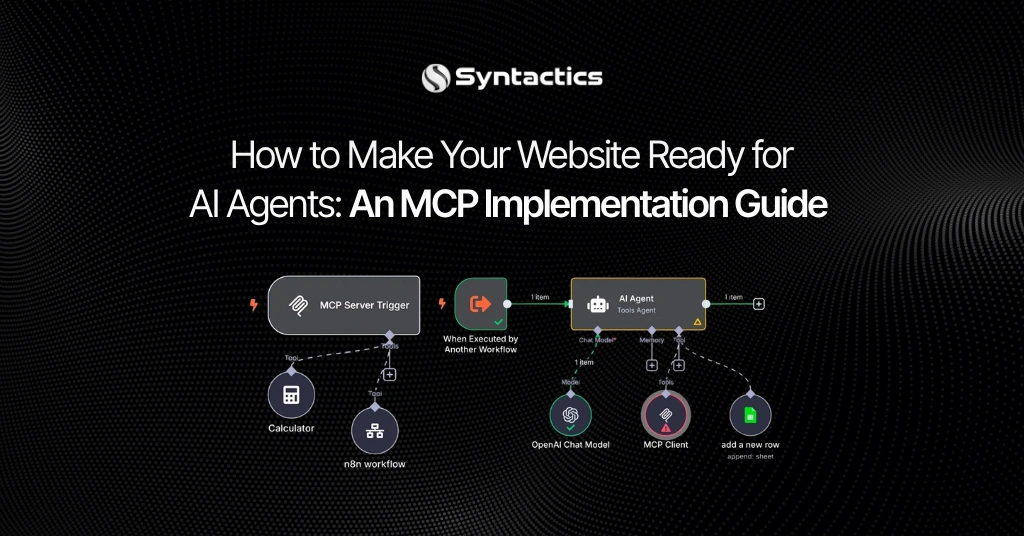
Once connected, an AI tool works with your site’s core building blocks.
Pages and Layouts
- Builds full pages with content and styling in one step.
- Redesigns existing pages built with Elementor’s newer atomic editor.
Design Systems and Templates
- Applies reusable styles, variables, hover states, and layouts for each screen size.
- Creates headers, footers, archive pages, and popups, including the rules for where each one appears.
Components and Dynamic Content
- Places and fills in components, or builds new ones.
- Connects post fields, custom fields, and categories.
Extra Abilities With Angie
Three further abilities require Angie to be installed. Angie is Elementor’s AI tool for WordPress. With Angie, the AI builds custom widgets such as pricing calculators and interactive forms. The AI also updates hundreds of products or posts in bulk, debugs errors, and fixes SEO gaps. Angie gives your AI tool access to features registered by plugins such as WooCommerce, Yoast, WPForms, Jetpack, and ACF.
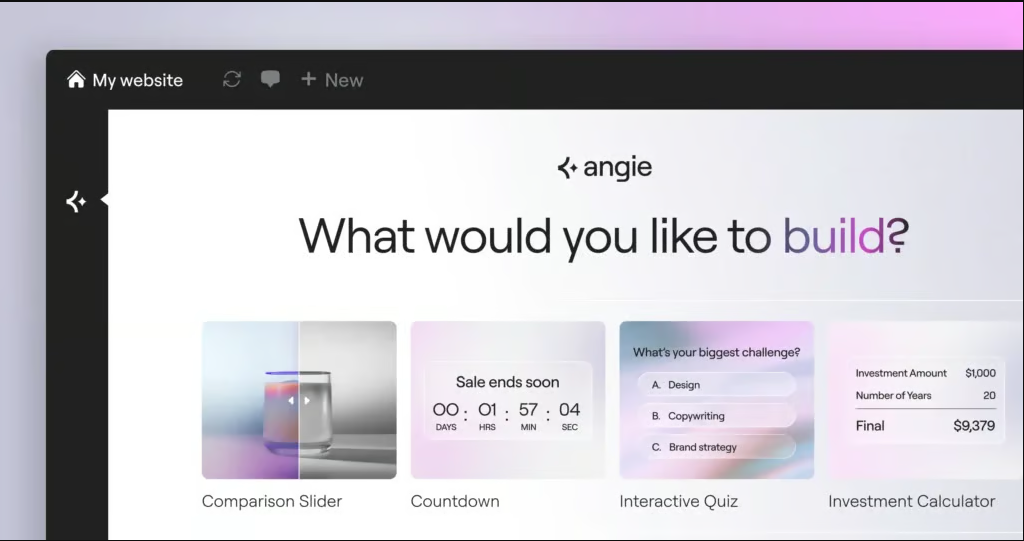
Source: Elementor.
How Drafts Keep You in Control
Draft-Only Publishing
Elementor saves all MCP output as drafts. The AI never publishes a page on its own. Your team opens each draft in the visual editor, makes changes, and publishes when satisfied. Using the MCP is optional, and the standard Elementor Editor stays unchanged.
Conflict Detection
If an editor and an AI tool change the same page at once, Elementor detects the conflict and notifies you. You then choose to refresh or discard changes before continuing.
Access Limits
Only site administrators set up the connection, and each connection covers a single site. For a business, this fits an approval process. Name one reviewer for AI drafts and treat every page like work from a new designer.
How to Connect Your AI Tool
Setup takes four steps:
- Open the new Elementor MCP page under Elementor in your WordPress dashboard.
- Choose Claude Code, Claude Desktop, Codex, Cursor, or Other for any additional MCP-compatible tool.
- Copy the setup prompt Elementor generates. Elementor creates the required application password in the background.
- Paste the prompt into your AI tool.
Teams can manually configure the connection if they prefer to handle setup themselves.
What the Elementor MCP Costs
Connecting to the MCP is free. Your cost depends on your AI tool’s pricing and credits. Basic sections and features are generated for free, while Pro features require an Elementor Pro plan. Plan for two budget lines: your AI subscription and your Elementor plan.
How Agencies Use the Elementor MCP
Webgate’s case study shows the MCP on a live production WordPress site. The agency tested Codex and Claude Code. Webgate wanted to add an AI workflow without rebuilding its existing components and design systems.
The workflow paired AI implementation with human review. Designers handled small decisions through direct visual editing. Webgate concluded the connection speeds up landing page creation and routine site updates.
Where WordPress Is Heading
Elementor is not alone in this direction. In February 2026, the WordPress Developer Blog introduced an official MCP Adapter. The adapter converts WordPress abilities into MCP tools, so AI agents discover and run site functions.
Elementor’s MCP comparison guide sets the official adapter, the Elementor MCP, and unofficial servers side by side. Hosting provider Bluehost flags agent security concerns, since AI agents act as authenticated users on your site. The WordPress MCP server guide from DYNO Mapper sorts available servers by category, including page-builder-aware options. Compare choices before you commit to one tool.
What to Do Before You Try It
- Test on a staging copy of your site first.
- Start with one landing page, not your whole website.
- Store your brand colors, fonts, and spacing in your design system so the AI applies them.
- Assign one reviewer to approve every draft.
- Track your AI subscription spend during the first month.

Build the Foundation Before You Add AI
AI tools speed up page production. Strong results still depend on the foundation underneath: a clean design system, well-built components, and a site structure your team understands. Each of these gives an AI tool clearer rules to follow, and reviewers spend less time fixing drafts.
Syntactics builds WordPress and Elementor websites with this foundation in place. A site built this way takes on new tools like the Elementor MCP without a rebuild. If your current site needs tidying before you connect AI, an established WordPress development agency in the Philippines sets the groundwork once, and every later update moves faster.

Frequently Asked Questions
Does the Elementor MCP publish pages automatically?
No. Elementor saves every AI-generated page as a draft. Your team reviews, edits, and publishes each page.
Which AI tools work with the Elementor MCP?
Claude Code, Claude Desktop, Codex, and Cursor have built-in setup options. Any other MCP-compatible tool connects through the Other option. Elementor generates a setup prompt for each choice.
Is the Elementor MCP free?
Connecting is free. You pay for your AI tool’s usage, and Pro features need an Elementor Pro plan. Budget for both costs before you start.
Does AI replace my web designer?
No. Webgate’s workflow paired AI output with human review. Designers handled small decisions through direct visual editing.
Is the Elementor MCP safe for a business site?
Only administrators set up the connection, and every AI page needs human approval before publishing. Elementor also detects conflicting edits. Test on a staging copy first to confirm the workflow fits your team.

About Ladymieh Naallatan
Related News:



Outsourcing to the Philippines in the Digital Era

WordPress Web Designer: A Worthwhile Investment








Comment 0