

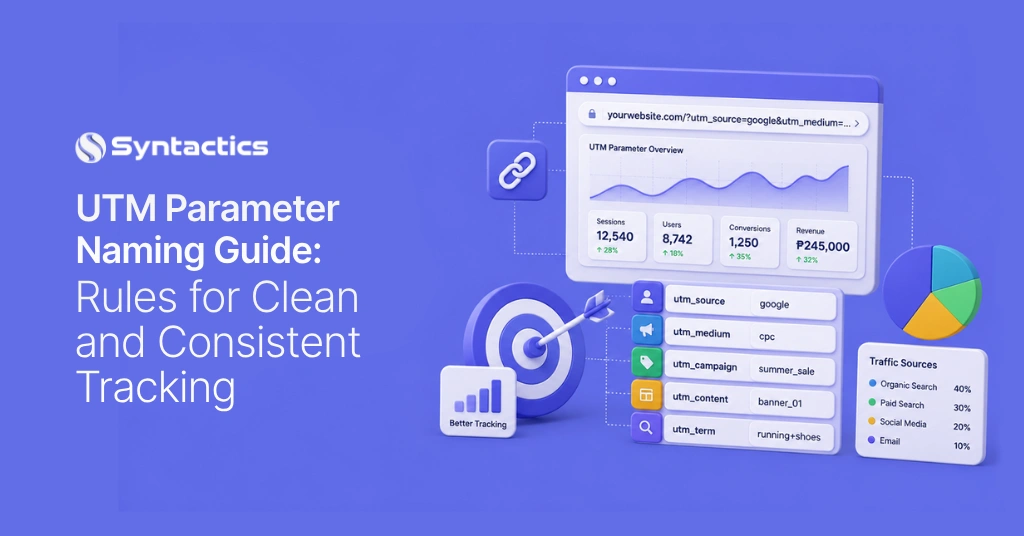
UTM Parameter Naming Guide: Rules for Clean and Consistent Tracking
A single mistyped UTM value can quietly break a month of campaign reporting. If one team uses “Facebook,” and another types “facebook,” Google treats them as different sources. The solution is simple: use a shared naming standard that everyone follows each time a link is published.
Key Takeaway
- Lowercase every UTM value. GA4 treats “Facebook” and “facebook” as separate source values.
- Use one separator across all campaigns, either underscores or hyphens, never spaces.
- Match utm_medium values to GA4’s recognized vocabulary to avoid the “Unassigned channel” label.
- Skip manual UTMs on Google Ads links. Auto-tagging already handles gclid.
- Keep a shared reference sheet with approved values, a naming template, and a designated owner.
Why UTM Naming Consistency Matters
UTM parameters are tags added to a URL that show Google Analytics where a visitor came from and which campaign brought them. GA4 uses these tags to organize traffic into default channel groups, which appear in every acquisition report.
The system only works when the input stays consistent. If three teams tag a campaign in three different ways, the report will show three separate rows instead of one. If this happens across many campaigns, reporting turns into a time-consuming task instead of a quick review.
A recent industry survey found that 65.7% of marketers say data integration is their biggest challenge in measuring marketing performance, mainly due to inconsistent naming conventions, according to Flint’s attribution research. The good news is that this problem is easy to fix, unlike issues like privacy changes or cross-device tracking.
Five Core UTM Parameters
Each UTM string uses five parameters. Each parameter answers a specific question about the click.
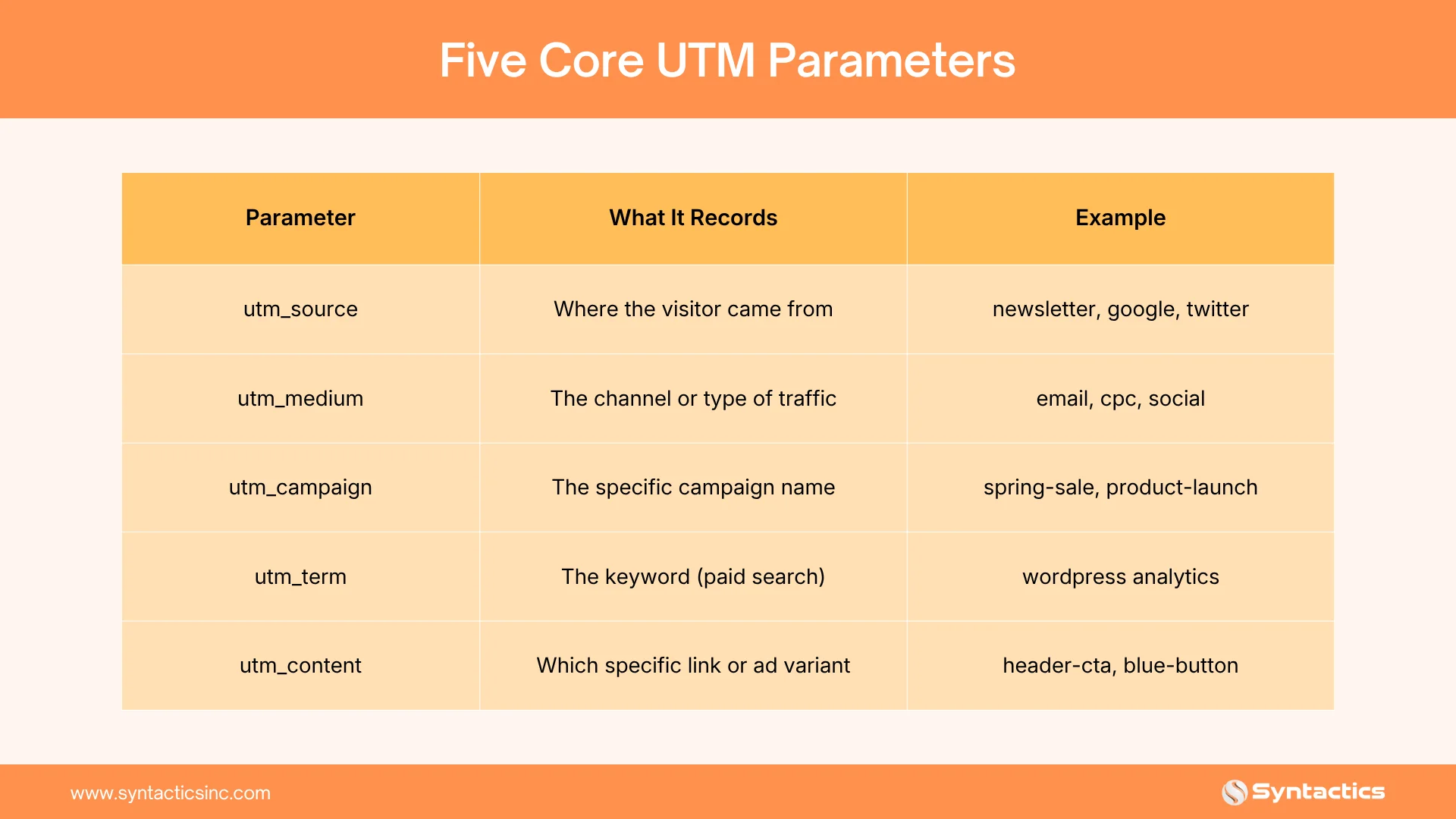
- utm_source names the platform: google, facebook, newsletter.
- utm_medium names the channel type: cpc, email, paid_social.
- utm_campaign names the specific campaign: summer_sale_2026.
- utm_content separates similar links within one campaign, useful for A/B testing two ad creatives.
- utm_term tracks paid search keywords, though Google Ads auto-tagging now handles most of this automatically.
Here is an example of a fully tagged URL:
https://example.com/?utm_source=facebook&utm_medium=paid_social&utm_campaign=summer_sale_2026&utm_content=carousel_ad_a
Naming Convention Rules
Set these four rules once, then apply them without exception.
Source: Burst.
- Lowercase everything. GA4 treats Newsletter and newsletter as separate values, splitting one channel’s traffic into two rows.
- Pick one separator and stick with it. Underscores and hyphens both work; spaces do not, since browsers encode them as %20 and fragment the report. Choose one format for the team and document it.
- Structure campaign names the same way every time. A template like client_channel_date keeps campaign names predictable and searchable in GA4’s reporting tables.
- Skip special characters entirely. Letters, numbers, and the chosen separator are all a UTM string needs.
Writing down these rules takes just five minutes and can save hours of cleanup after a campaign is live.
Source and Medium Vocabulary for GA4
GA4 sorts traffic into channel groups based on the exact utm_medium value. If you use a value not on GA4’s list, the traffic goes into the Unassigned bucket, making it very hard to track its source.
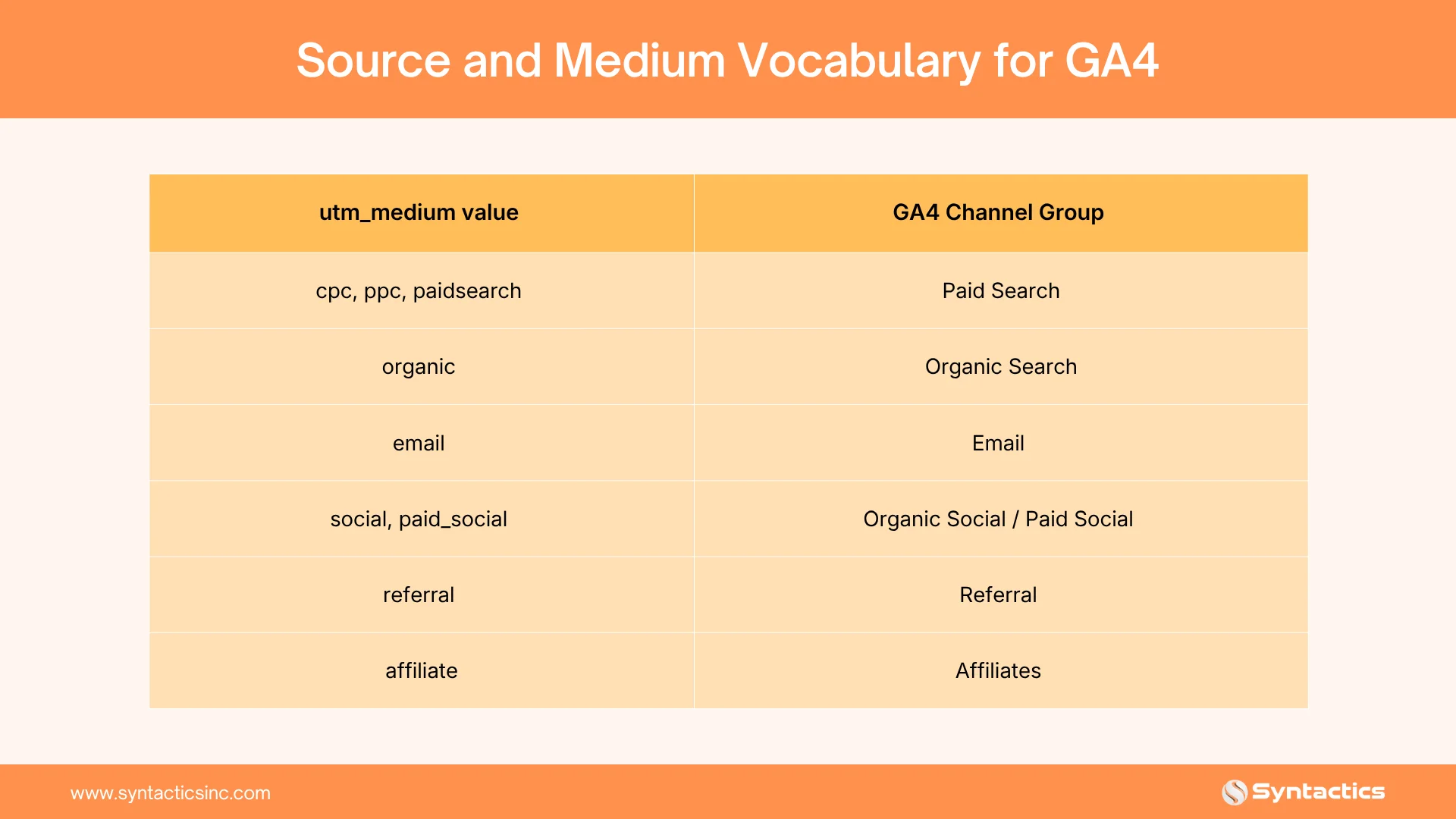
This table doubles as a quick infographic reference for anyone building a client-facing tracking checklist. Print it, pin it, or drop it into onboarding docs for new team members handling campaign links.
utm_id and Cost Reconciliation
utm_id acts as a join key. GA4’s Data Import feature uses it to match ad spend data from platforms like Meta or LinkedIn with session data from the URL tag. Set utm_id at the campaign level to see cost-per-conversion numbers in GA4, instead of only in each ad platform.

Common Mistakes That Break Attribution
A few common mistakes cause most broken reports. Each one seems small on its own, but they add up quickly when many campaigns use the same tracking setup.
Manual UTMs on Google Ads Links
This mistake causes the most damage. Google Ads applies automatic click tagging by default, attaching a gclid parameter that GA4 prioritizes for cost and conversion matching. A manual UTM string added to the same link competes with that gclid. The click can lose its connection to Google Ads spend data, so cost-per-conversion numbers no longer align between the ad platform and GA4.
Action tip: Turn on auto-tagging in your Google Ads account settings, and ensure your ad URLs do not include manual utm_source or utm_medium values. Auto-tagging will handle Google Ads traffic on its own, since it already collects campaign, ad group, and keyword data.
Inconsistent Capitalization
GA4 reads capitalized and lowercase values as two different entries. A campaign tagged Newsletter in one email and newsletter in the next splits what should be one row of data into two. The traffic numbers still exist; they just sit in separate places, and anyone building a report has to know to reassemble them manually. This error spreads quickly across teams, since each person tends to type values the way that feels natural rather than checking a shared standard first.
Action tip: Create a link generator or spreadsheet template that automatically converts every entry to lowercase. This way, the rule is always followed, and you do not have to remember it each time. Applying the lowercase rule when creating links prevents this problem.
Stray Parameters from Reused Links
Copying a UTM string from an old campaign can save time, but if you forget to update utm_campaign, new traffic will be labeled under the old campaign. This makes reports for the old campaign show a false spike, while the new campaign’s real data is missing.
Action tip: Begin tagging each new campaign with a blank template that already includes the current date and campaign name. A shared reference sheet with the current campaign name clearly labeled helps everyone use the correct value.
Missing Tags on Owned Channels
Email newsletters, in-app messages, and QR codes on printed materials often go out without any UTM tags. The traffic still comes to your site, but GA4 cannot assign a source or medium, so it ends up in Direct or Unassigned instead of the right channel. Owned channels are easy to miss because they do not use ad platforms that automatically tag.
Action tip: Include UTM tagging in the checklist for every newsletter, in-app message, and printed QR code before sending them out. Tagging every outbound link keeps this traffic visible in your reports.
 Building a Shared UTM Reference Sheet
A shared reference sheet helps every team tag links the same way, so you do not need a meeting for each new campaign. It should include four things:
- Approved values for utm_source and utm_medium, written exactly as they should appear in a URL.
- A campaign naming template, shown with a real example rather than a placeholder.
- An owner responsible for approving new values before they enter use.
- A request process for adding a new source or campaign type to the approved list.
Keep the reference sheet somewhere that every team can access before launching a campaign, not after problems appear. Standardized UTM practices are already widely used.
A 2026 marketing attribution report found that 63% of marketing teams now use some kind of UTM standardization. Having a shared sheet isn’t a new habit; it’s just keeping up with what most teams already do.
Conclusion
Consistent UTM tagging is a simple habit that brings big benefits. Using a shared naming standard, a clear source-and-medium vocabulary, and an accessible reference sheet turns campaign reporting into a quick and reliable process.
If tracking gaps, mismatched reports, or unclear attribution are slowing your campaigns, Syntactics’ digital marketing team can set up the tagging structure, CRM mapping, and reporting framework to keep every channel on track. From naming conventions to full-funnel attribution, we help brands turn scattered click data into clear, trustworthy decisions.
Elevate Your Brand In the Digital Landscape!
- SEO: Boost your rankings and drive organic traffic.
- Content Marketing: Engage your audience with content that converts.
- Social Media Management: Build your brand and connect with the right people.
- Paid Ads: Maximize ROI with data-driven advertising campaigns.

Frequently Asked Questions
What is the difference between utm_source and utm_medium?
utm_source names the specific platform sending traffic, such as facebook or google. utm_medium names the broader channel that platform belongs to, such as paid_social or cpc.
Why does traffic show as Unassigned in GA4?
GA4 sorts traffic into channel groups based on exact utm_medium values. A value outside GA4’s recognized vocabulary, or a missing tag altogether, sends that traffic into the Unassigned bucket instead of a named channel.
Should UTM parameters be included in Google Ads links?
Google Ads auto-tags links with a gclid parameter that GA4 uses for cost and conversion matching. Most teams reserve manual tagging for channels outside Google Ads.
What does utm_id do?
utm_id serves as a join key in GA4’s Data Import feature, linking ad spend data from platforms like Meta and LinkedIn to on-site session and conversion data.












Comment 0