

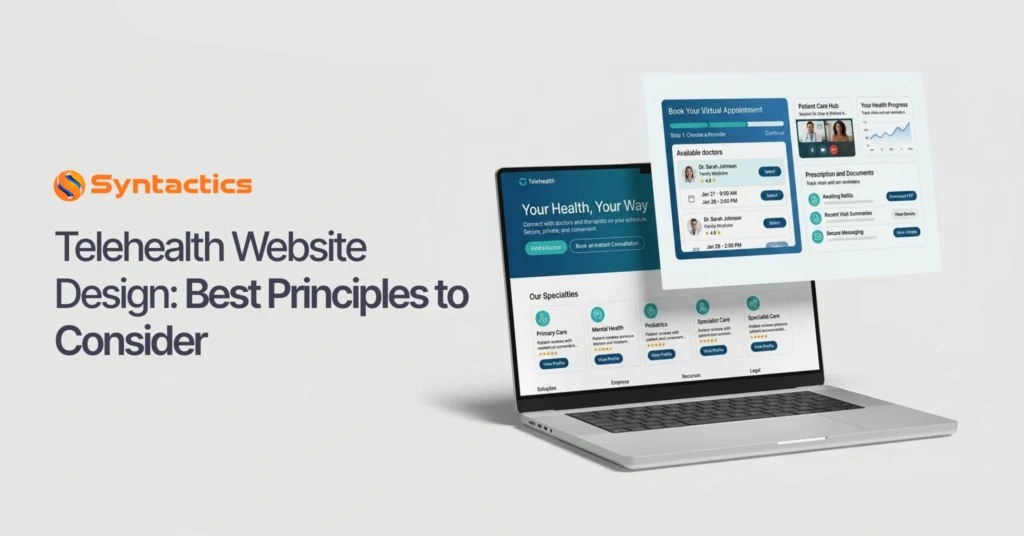
Telehealth Website Design: Best Principles to Consider
Websites for clinics or medical institutions can represent you to interested patients. So, it’s vital to learn about Website Design principles for Healthcare Sites, including those of Telehealth and Telemedicine. The great thing about website creation today is that some site builders provide editable templates for Telehealth providers!
Though you might have the ideas for Telehealth or Telemedicine Website Design, you might not have the skill to do so. However, you’re in luck, as you can find the best possible Web Developer for your budget. Otherwise, you can use website builder tools with visual drag-and-drop editors. For instance, WordPress has excellent Lightweight Themes you can build on!
However, with Medical Website Design principles, you can create a Healthcare Site that’s:
- visible on results pages;
- showcases the nature of your clinic; and
- provides critical information to website visitors.
Telehealth: The Modern Answer to Healthcare
Telehealth is a subset of eHealth that uses technologies such as wireless communication and the internet for long-distance healthcare. In addition to healthcare, it’s also helpful for educating patients and assisting public health administration.
Telehealth and Telemedicine are part of the Healthcare Industry. The terms seem similar, but they refer to different things. Telemedicine refers specifically to remote health services. Telehealth encompasses health services as well as healthcare provider training, medical education, and meetings between administrators.
You want your Telehealth Website to be attractively designed. So, it must embody the same principles as your medical clinic. Thus, it should communicate the nature of your clinic’s expertise.
Not only is your Telehealth Site critical for patients to reach you, but it also serves as a resource. This way, your site can establish your practice in their eyes. You can even post updates, streamline medical billing, and more with the right Dev.
Best Web Design Practices for Telehealth Sites
There are a few essential factors to consider regarding Web Design for Telehealth providers. But in general, your Telehealth Site must be:
- accessible to all visitors across devices;
- easily navigable; and
- informative about your clinic.
Consider Using a Content Management System.
Content Management Systems can help seasoned devs and business owners craft a stunning, functional website. Many offer tools that make the Website Development process more manageable, regardless of skill level. Thus, a CMS helps you create web pages or add a blog to your site. In addition, if your clinic has Social Media accounts, you may connect them to your Telehealth Website.
Also, it’s become necessary to use Search Engine Optimization practices to help your website become more visible to interested searchers. Fortunately, plenty of SEO-friendly CMS options can help you rank highly in search results.
Some CMS can help you build a Healthcare-based Website, but it is vital to choose wisely. Each has its quirks, capabilities, pros, and cons — some even offer dedicated Telehealth Website Templates! So while many are suited for the needs of varied industries, not all are fine-tuned for Telehealth Sites.
Remember to Design for a Fluid, Multi-Device Patient Journey
Part of web design is considering how your audience will access your site. While mobile growth was long treated as an unstoppable upward trend, recent data shows a more nuanced reality.
According to Statista data from Q1 2026, mobile devices (excluding tablets) accounted for 52.27% of global website traffic—a slight dip from the 62.39% recorded a year prior.
For healthcare providers, this proves that your audience is highly fragmented. A patient’s journey is deeply situational: they might discover your clinic on a smartphone while commuting, switch to a desktop at home to fill out complex medical intake forms, and then launch the actual video consultation from their tablet.
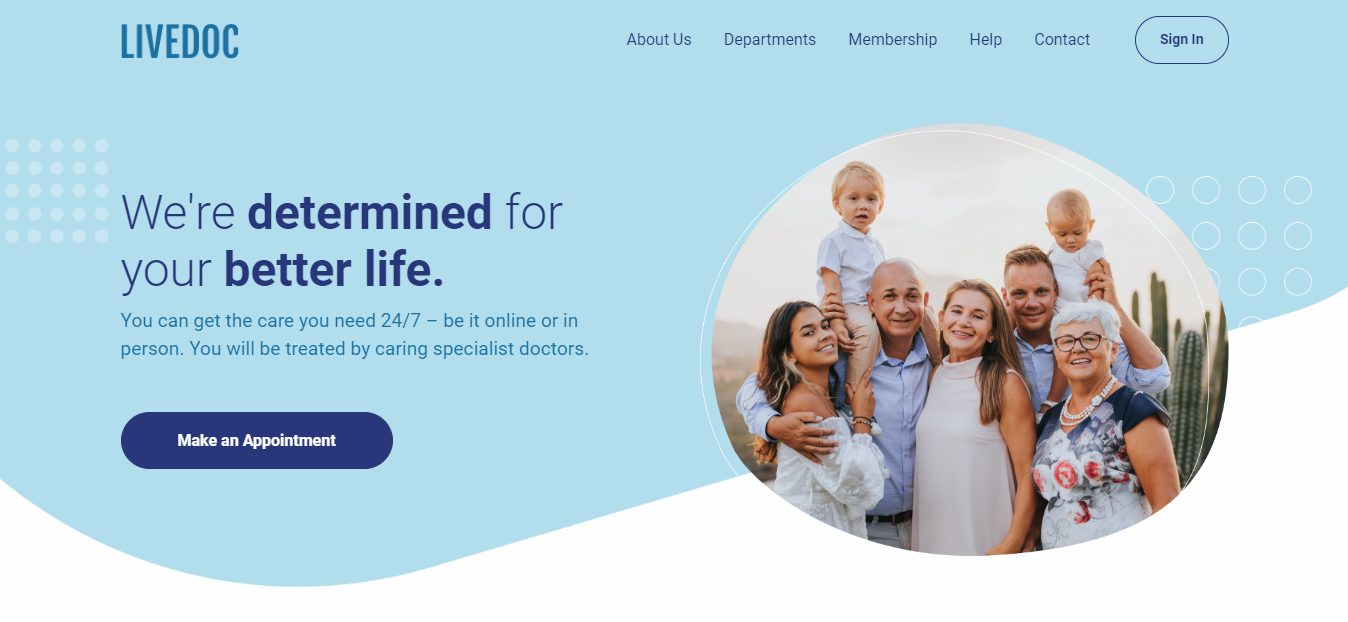
Source: ThemeWagon.
Rather than just shrinking desktop layouts, medical practices must adopt a continuous cross-device design. Seamlessly syncing user experience across screens directly results in:
- Lower Bounce Rates: Patients won’t abandon tedious forms due to poor formatting.
- Higher Conversion Rates: Booking an appointment or pressing a call-to-action (CTA) is effortless on any device.
- Better Search Rankings: Google relies heavily on mobile-first indexing to determine your site’s visibility.
Here are a couple of Mobile-Friendliness tips you can apply:
- Enable Persistent Form Progress: Let patients start filling out medical histories on their phone and finish on a laptop without losing data.
- Optimize Touch Targets: Ensure scheduling buttons and dropdowns are large enough to tap easily without accidental misclicks.
- Implement “Thumb-Zone” Layouts: Place crucial actions, like “Join Virtual Waiting Room,” within easy thumb reach at the bottom of mobile screens.
- Use Adaptive Menus: Utilize clean, collapsible hamburger menus to keep the mobile UI uncluttered while preserving deep navigation on desktop.
Leverage AI and Interactive Automation
A telehealth website must be interactive to truly engage visitors and convert them into patients. While standard web forms and patient portals are still foundational, modern medical web design relies on AI-driven automation to streamline the digital patient experience before an appointment even begins.
Integrating smart automation directly into your user interface actively helps you:
- Reduce Administrative Burdens: Automated workflows handle repetitive scheduling and intake tasks.
- Amplify Patient Conversion: Instant responses keep anxious patients from leaving your site for a competitor.
- Improve Pre-Appointment Triage: Gathering preliminary data ensures doctors are better prepared for virtual consultations.
Key automation trends to implement:
- Deploy AI-Powered Symptom Checkers: Integrate intelligent conversational chatbots that securely guide users through initial symptoms and route them to the correct specialist or booking link.
- Streamline Smart Intake Forms: Use dynamic, conditional-logic forms that adapt based on a patient’s answers, shortening the onboarding process.
- Incorporate Live Waiting Room Trackers: Give patients real-time, interactive updates on their virtual queue position directly inside your secure patient portal.
- Place Strategic AI Actions: Pair standard call-to-action (CTA) buttons with automated calendar syncing, instantly locking in appointment times across both your clinic’s EMR system and the patient’s personal calendar.
Add Informative Yet Understandable Content
Many healthcare practitioners tend to use jargon when explaining concepts to patients. So, your Telehealth Website should have site content or copy that the average patient can understand. You can apply understandable medical information throughout the site via Telemedicine or Telehealth Website Design. But it’s best exemplified in a Q&A section via your Telehealth Website Template.
Regarding blogs, you need to get behind Long-form Content or content with a thousand or more words. Thus, your Healthcare Website needs to be designed to provide longer content that contains critical information about the topic.
Your informative Long-form Content can help search engines, too. As people become more aware of your site’s valuable content, you gain more loyal readers and patients. Thus, your website gains authority, resulting in better search results rankings.
Ensure that the Site is Navigable
A navigable Healthcare Website is an excellent User Experience (UX) draw. Visitors will find it less tempting to leave your website if they can quickly find what they’re looking for. So, your Telemedicine and Telehealth Website Design should be intuitive.
Generally, 94% of consumers want a website that’s easy to navigate. Thus, you must create a precise navigation bar or menu that can help direct visitors to where they need to go. Also, remember to apply a hierarchical structure, categories for essential pages, etc.!
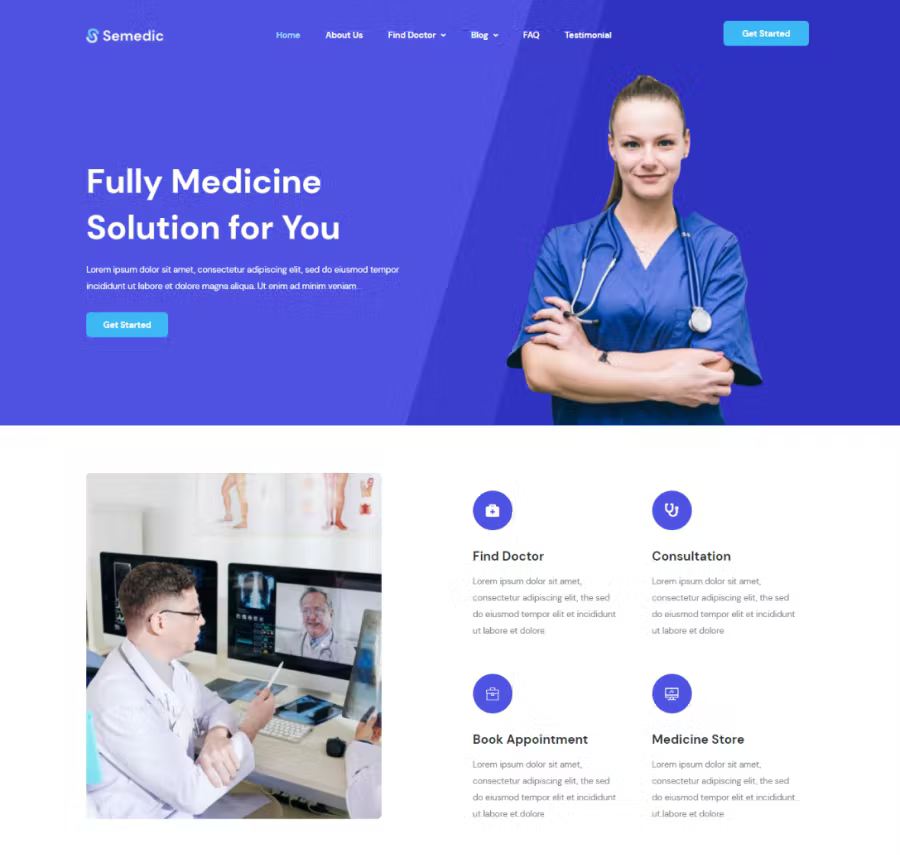
Source: Envato Elements.
A search bar is fundamental to ensure visitors can navigate your site. Search bar key features include:
- Noticeable on the site navigation bar;
- Provides filters and sort functions to narrow down search results; and
- Displays results’ meta descriptions (which contain the desired search term).
Optional functionalities include:
- Has an autocomplete function that suggests search terms as you type;
- Offers categories for search results, especially if the website has many pages;
- Has a Breadcrumb Trail; and
- Highlights the search terms in the results.
Use Eye-catching Visuals for Your Telehealth Website
It’s important to use visuals together with text in Healthcare Web Design. This includes pictures, vectors, animation, and even videos throughout the overall layout.
So, your Healthcare Website Design should be visually balanced. Thus, it becomes appealing for visitors to look at and read through. Fortunately, plenty of Telehealth Website Templates incorporate visual elements into the layout!
Even if health information is complex, you can still find ways to make it understandable for patients. Here’s how to keep your site visually attractive:
- Use high-quality images and videos.
- Apply your clinic’s branding, but with a limited color palette.
- Apply reliable grid designs in the layout.
- Add visual media generously, but not so much that it slows down the website.
- You can create carousels to show off a collection of images.
- Rely on white space to keep things from getting cluttered or cramped.
- Consider utilizing little page animations or microinteractions to add a splash of dynamism.
- Keep blog posts exciting by adding images throughout the text.
Speed Up Your Healthcare Website
People need responsive, fast-loading sites, especially for Telehealth or Telemedicine Website Design. One essential way to speed up your site is to crop or compress images to keep them manageable.
You can also lessen your redirects, such as 301s. An abundance of redirect chains can slow down your load speed. Too many of these will negatively affect your overall loading time. Therefore, it’s essential to simplify or reduce the redirects you have at a time.
Also, you can minify your code or remove unnecessary characters or comments. Other things you can take out include spaces, commas, and unused code. As a result, this lessens how many elements load on the page.
Following website accessibility guidelines, such as the Americans with Disabilities Act (ADA), is non-negotiable in healthcare web design. While early standards focused on basic screen readability, modern compliance requires adhering to the updated Web Content Accessibility Guidelines (WCAG 2.2).
Patients experiencing visual, motor, or cognitive challenges must be able to navigate your telehealth platform effortlessly. Designing with strict accessibility rules in mind improves the digital user experience for everyone, regardless of their physical abilities.
Adhering to strict compliance standards allows your platform to:
- Expand Patient Reach: Ensures elderly individuals or patients with disabilities can book care independently.
- Mitigate Legal Risks: Protects your medical practice from costly ADA accessibility lawsuits and compliance penalties.
- Boost Search Engine Standings: Search engines reward accessible websites that feature clean structural hierarchies and clear usability.
Key accessibility enhancements for telehealth:
- Enlarge Interactive Touch Targets: In alignment with WCAG 2.2, ensure all buttons, dropdown menus, and date pickers have a minimum target size of 24 x 24 CSS pixels to prevent misclicks from individuals with motor impairments.
- Incorporate Accessible Authentication: Avoid complex cognitive logic puzzles (like traditional CAPTCHAs) for portal logins. Switch to accessible alternatives like biometric scans or secure email/SMS magic links.
- Maintain High Color Contrast: Ensure text layers stand out sharply against background colors to assist visually impaired or colorblind users.
- Write Descriptive Alt Text: Apply meaningful alternative text to all medical graphics, icons, and navigational hyperlinks so screen readers can easily translate the layout for blind users.

Prioritize Enterprise-Grade Patient Data Security
Healthcare data is a prime target for cyber threats, making data privacy regulations a foundational pillar of medical web design. Your site’s architecture must go beyond basic aesthetic choices to protect highly sensitive medical, personal, and financial data processed through your patient portals.
Implementing advanced, multi-layered security protocols into your website framework directly helps you:
- Maintain Strict Legal Compliance: Safeguards your practice against devastating regulatory penalties under HIPAA, GDPR, or local data privacy laws.
- Build Absolute Patient Trust: Reassures users that their private consultations and medical histories are fully protected.
- Prevent Costly Data Breaches: Secures your digital ecosystem from automated bot attacks, ransomware, and unauthorized access.
Key data security standards for telehealth:
- Enforce Multi-Factor Authentication (MFA): Integrate secure MFA or biometric logins (like FaceID or fingerprint scanning) for all patient and practitioner portal access points.
- Utilize End-to-End Encryption: Ensure that all video consultation rooms, live chat modules, and file upload systems encrypt data both in transit and at rest.
- Deploy Advanced Bot Protection: Implement invisible, accessible CAPTCHA alternatives and Web Application Firewalls (WAF) to block malicious bots without frustrating actual patients.
- Conduct Automated Compliance Audits: Build your site on an enterprise CMS that automatically tracks access logs, monitors system vulnerabilities, and guarantees secure, compliant payment gateways.
Ensure Seamless EHR/EMR Integration
A beautiful front-end layout is only half the battle; a truly functional telehealth website must communicate flawlessly with your back-end systems. Modern medical web design relies heavily on seamless API integrations with standard Electronic Health Records (EHR) and Electronic Medical Records (EMR) platforms (such as Epic, Oracle Health/Cerner, or specialized clinic software).
When your website natively bridges the gap between the patient portal and your internal medical records, your digital operations change from a manual data-entry chore into an automated ecosystem.
Connecting your website directly to an EHR/EMR network ensures:
- Zero Double Data Entry: Patient intake forms, uploaded insurance cards, and demographic updates sync instantly to their medical file, eliminating manual staff entry.
- Real-Time Scheduling Accuracy: Appointment blocks booked on the website immediately lock on the clinic’s internal calendar, eliminating double-bookings.
- Streamlined Care Continuity: Doctors can access patient symptoms or medical history right inside their charting software the moment the video consultation launches.
Key integration best practices for web devs:
- Utilize Secure FHIR APIs: Build your website data pipelines using Fast Healthcare Interoperability Resources (FHIR) standards to guarantee safe, industry-standard data transfers.
- Incorporate Real-Time Eligibility (RTE): Integrate insurance-verification APIs so patients know whether their insurance covers the virtual visit before checking out.
- Implement Automated Notification Triggers: Configure the system so that when a doctor updates a chart in the EMR, the website portal automatically triggers a secure SMS or email alert to the patient.
- Sync Payment Gateways with Billing Systems: Ensure co-pays collected via web payment processors map directly to the billing module inside your clinic’s software.

Don’t Forget Your Contact Details!
Your Healthcare Website needs to include your contact details, and a Telehealth Website Template can make room for them. So, your contact information should be prominent on the website. Then, people can make appointments quickly, besides pressing a button to call the clinic.
Here’s some critical contact information you can add to your website:
- Your telephone or cellphone numbers;
- Email address;
- Office address(es), if you have a physical location;
- An online calendar that indicates when the doctor’s free for appointments; and
- Instructions for scheduling appointments.
Of course, it’s critical to update your contacts regularly, or at least whenever there’s a change. In addition, you must ensure that the new contacts show up on the website if you change numbers, email, or locations.
Provide Patient Testimonials
A critical Telehealth or Telemedicine Website Design consideration is Patient Testimonials or Reviews. Many look to reviews to see if a product or service is trustworthy. For instance, 70% of consumers say that physician rating sites are ‘somewhat’ or ‘very’ important.
So if your medical institution, clinic, or hospital website has excellent reviews, you can incorporate them into your Healthcare Website Design. Thus, you should have a section on the main page that helps potential patients see how beneficial your clinic is. A Telehealth Website Template can help you display a reviews section!
Create Accessible and Functional Medical Web Designs Today!
Since your Healthcare Site is a digital frontend for patients, you need to put thought into Website Design. In addition, medical practitioners tend to provide different services. Thus, every element — layout, text and images, colors, buttons, etc. — should tell site visitors about your clinic. After all, it’s their resource for medical queries and updates.
Not only that, but it’s where you can specify your healthcare offerings and how you serve patients. Also, with the help of a Web Developer, you can allow patients to schedule appointments or order medical prescriptions. So count on web design and development in the Philippines to help you create the perfect Telehealth or Telemedicine Website!
Get Design and Functionality
Specific to your Brand!
- Build a website that's mobile-friendly and responsive.
- Custom designs aligned with your brand.
- Optimized for SEO and user experience.
- Scalable and feature-rich solutions.

This article was updated on July 17, 2026.
What is the difference between Telehealth and Telemedicine?
While often used interchangeably, telemedicine refers specifically to remote clinical healthcare services (like virtual doctor consultations). Telehealth is a broader term encompassing remote clinical services and non-clinical elements, such as healthcare provider training, medical education, and administrative meetings.
How do I choose the best platform to build a healthcare website?
It is vital to choose a secure, SEO-friendly CMS that can handle the unique data privacy and accessibility demands of medical websites. While generic site builders work well for basic portfolios, building a high-performing medical site often requires a professional Web Developer who can implement strict encryption, WCAG compliance, and external software APIs.
Why is mobile responsiveness shifting for telehealth websites?
Recent data from Statista shows that mobile web traffic continues to fluctuate, hovering around 52.27% globally in early 2026. For telehealth, this means patients are highly fragmented. They often use smartphones for quick symptom lookups or live video visits but prefer desktop computers for filling out extensive medical history forms. A modern telehealth site must seamlessly sync the patient experience across all device screens.

About Xenia Labis
Related News:


CSS Coding Standards for WordPress: A Guide



A Practical Guide to LLM SEO for Businesses








Comment 0