

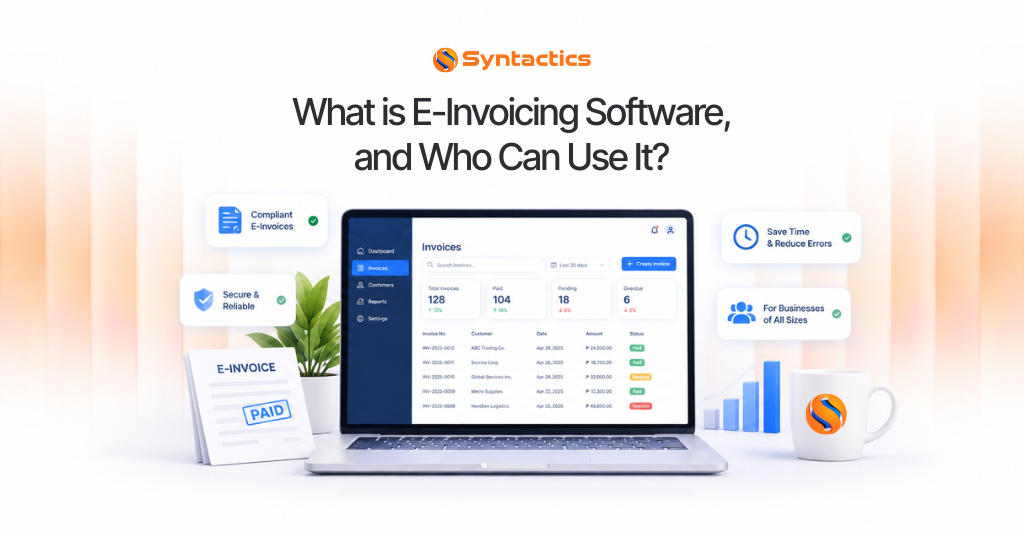
What is E-Invoicing Software, and Who Can Use It?
An invoice lists expenses for a product or service, much like a grocery receipt. For many businesses, invoicing has shifted from paper to digital e-invoicing. Electronic invoices offer several advantages, so companies should consider Custom Electronic Invoicing, or E-Invoicing Software, as part of their operations.
Traditionally, invoices are paper-based lists or documents that indicate costs or payments for products or services. While helpful for transparency, traditional or manual invoice generation can be a hassle. Companies of any size can use invoices, but manual invoicing still works well for smaller stores or businesses, such as neighborhood grocery stores, because they handle transactions at a manageable pace and on a smaller scale.
E-Invoices are generated much quicker than paper invoices, and errors can be fixed almost immediately by canceling the invoice. They also allow for convenient paperless transactions, so there’s no need for a filing cabinet since invoices are stored digitally. Simply put, E-Invoicing is more efficient than traditional invoicing, letting you send invoices faster and with fewer bottlenecks.
Businesses that want a system built around their specific workflow can have a custom solution tailored to their electronic invoicing needs, usually by hiring a software development company to build one.
How Electronic Invoicing or E-Invoicing Software Works
Custom Electronic Invoicing Software can handle nearly every aspect of invoice management. Manually created invoices are prone to errors, while digital invoice information is far more accessible than paper-based records. The software also removes much of the guesswork around paperwork by ensuring accurate, transparent data entry from the start.
Here’s the general flow: when a seller receives a customer’s purchase order, the E-Invoicing system generates an electronic invoice. The system then digitizes critical invoice data and verifies it against related documents, such as purchase orders, receipts, and contracts.
Afterward, the software codes the e-invoice with the correct information in line with business policies and regulations. The software validates the digitized invoice before posting payment details and, once it’s ready, transmits the invoice to the customer.
On the other end, customers or buyers receive an e-invoice when they place a purchase order. Their software verifies the digital invoice to authorize payment, helping keep company documentation accurate. As a result, customers can pay early or on time, and both sides benefit from fewer disputes over invoice details.
Who Can Use Custom E-Invoicing Software?
Any business can use a Custom Invoice System, especially those handling fast-paced or high-volume transactions. Smaller businesses, on the other hand, don’t necessarily need dedicated software to process a modest number of transactions quickly.
The software integrates documented data so invoice details seamlessly match information in contracts, orders, and related records. As a result, many companies, including small businesses, have started adopting these systems to improve their workflows. According to an IMARC report, the global e-invoicing market is projected to grow at a CAGR of 21.5% from 2022 to 2027.
Some companies, however, need this kind of software more than others. You’ll likely benefit significantly from a Custom Electronic Invoicing Application or Software if:
- You require features found on a Custom Invoice System, such as QR codes, data encryption, or intelligent validation.
- You must provide recurring invoices to business partners or customers.
- You want to integrate the software with your existing office systems.
- You’re looking for a flexible invoicing solution that fits your business’s size and needs.
- You handle sensitive financial data that requires advanced protection functionality.
- You want to ensure your e-invoices comply with local tax regulations.
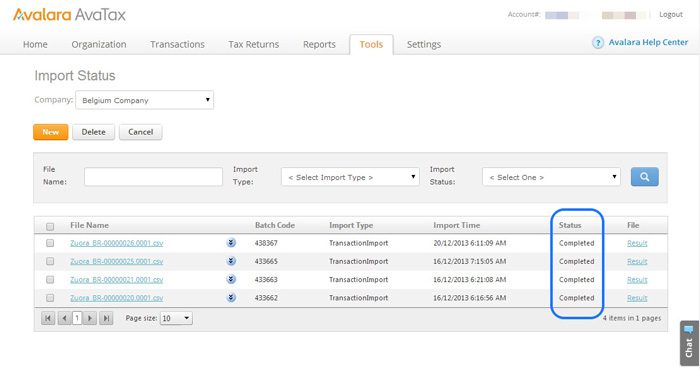
Source: Avalara.
The Many Benefits of E-Invoicing Software
Here’s a rundown of what you can expect from adopting a dedicated e-invoicing system:
- Reduces Errors. A Custom Invoicing System resolves data gaps and reduces mismatches, and it can even flag minor errors or missing information early.
- Automates Invoice Processing. An E-Invoicing App speeds up invoice processing because you don’t need to verify data manually.
- Automates Invoices. Custom software can automate invoice creation entirely, generating invoices as soon as buyers confirm an order and reducing the chance of human error.
- Improves Interoperability. Invoices from your software become readable by other software systems, improving overall data accuracy and reducing entry errors.
- Allows Invoice Tracking. Custom E-Invoice Software lets you track invoices in real time, so you always know where a transaction stands.
- Reduces Costs. Through automation and reduced paper use, businesses save meaningful time and resources.
- Provides Web Access. Cloud-based systems let businesses access invoices on the go, so financial documents are reachable through a web browser without added security concerns.
- Ensures Compliance With Tax Laws. Handling taxes correctly is critical to running a business, and Custom Invoicing Software is built to stay compliant with tax requirements.
System Features Your Custom Invoice Software Should Have
Whatever industry you’re in, custom software can likely boost productivity in some form, whether that’s an HR Payroll System or a Loan Management Solution. The right features let a business improve productivity and sales while saving on resources.
Of course, software features differ depending on a business’s needs, so finding a Custom Invoicing Software solution that’s scalable and tailored to your operations is essential. Every business needs features that help manage finance-related tasks efficiently, reduce fraud risks, and facilitate early payments, all while improving collaboration within the organization and with outside business partners.
Overall, Electronic Invoicing Software should help boost a company’s cash flow.
Here’s a more extensive list of features worth looking for in Custom Invoicing Software:
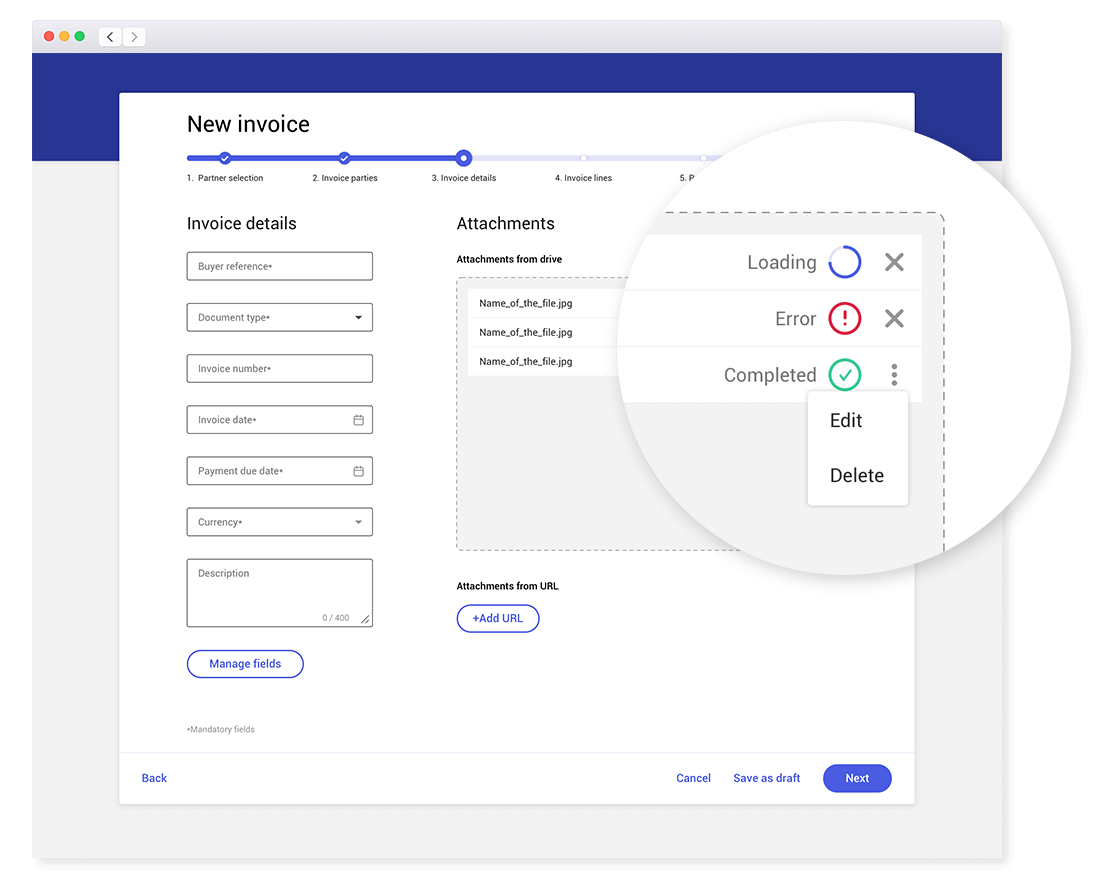
Source: Comarch.
Automates Sending and Receiving of E-Invoices
Automation is one of the best ways to streamline work while improving scalability. Invoicing automation helps you get paid faster while saving on operational costs. Many companies already use invoice templates and automate either sending or receiving, but automating both can significantly speed up business processes. Finding an E-Invoicing solution that automates both ends is key to getting the best possible return on investment.
Supports All Invoice Format Types
You might need to convert e-invoices into different document types depending on the customer or client. A worthwhile Electronic Invoicing Software supports multiple invoice formats, so you won’t struggle to create different types as needed. Many systems also eliminate the need to store multiple versions of the same invoice, removing a common source of confusion.
Integrates With Existing Systems
The right Invoicing Software works seamlessly with your existing systems. Manually inputting all data can be a hassle, so look for solutions that integrate smoothly with your current software and can handle recurring billing statements without extra manual work.
Archives Older Invoices
As a business grows, so does the volume of invoices it processes. Your E-Invoicing Software should be able to archive invoices as needed, since managing older invoice data becomes more challenging as it accumulates. Look for software with strong archiving functionality, including the ability to encrypt older invoices for security and purge invoices that are no longer useful at a set date and time.
Source: SAP Ariba.
Accepts Various Payment Types
Folio3 reports that 54% of small and medium-sized businesses expect payments to arrive after the due date, but a solid e-invoicing setup can help bring those numbers back.
A flexible system should accept multiple payment types, including online payments through credit cards or third-party channels, since many consumers now pay for purchases entirely online. The system should also automatically account for taxes and price changes as they occur.
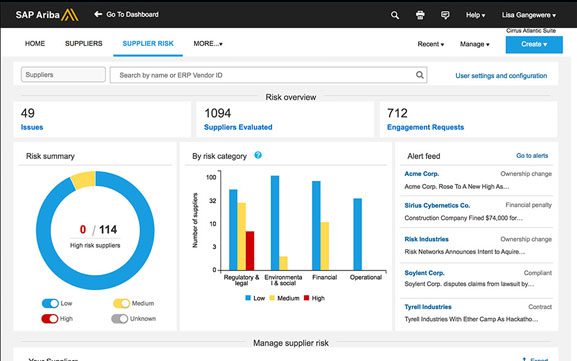
Integrates Smoothly With Analytics
Analytics matter to businesses of every size because they offer insight into overall progress. A strong Custom Electronic Invoice System provides solid analytics reporting, giving visibility into sales trends, popular products, and customer behavior. With that kind of visibility, businesses can spot patterns, make better decisions, and act on opportunities as they arise. An effective E-Invoicing System should collect this data and generate reports regularly.
Ensures E-Invoice Security
Safety is critical when handling payments, especially when they’re tied to buyer data. Choosing the right Custom Invoice Software means ensuring data is secure and encrypted end to end. It’s also worth finding a software provider that offers ongoing customer support to help maintain that security over time.
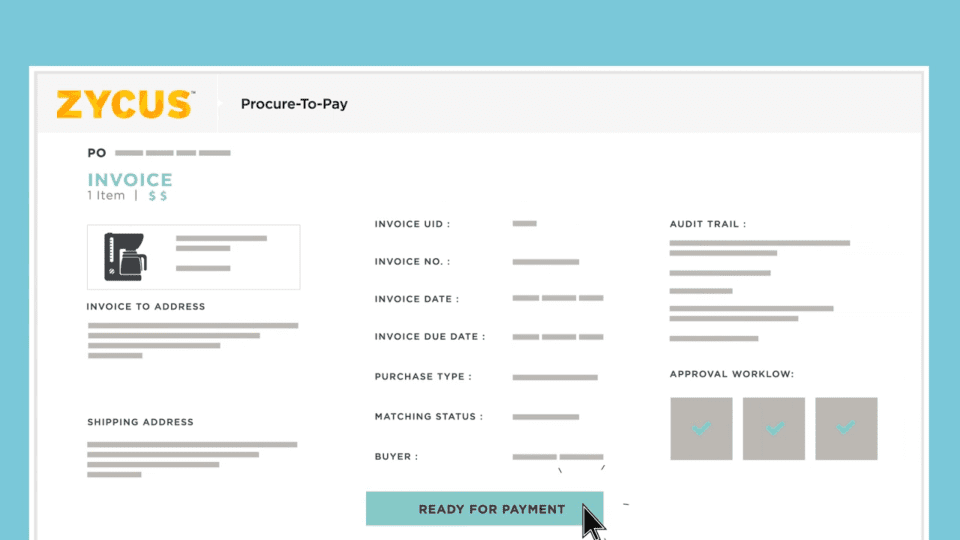
Allows Electronic Invoice Customization
Because an e-invoice represents your business, it should reflect your branding, including your color palette, fonts, and company logo. Look for software that offers customizable invoice designs or templates so the final document matches the rest of your brand.
Source: Zycus.
Final Thoughts
Invoice Software streamlines the invoicing process while saving resources. Because the process is no longer manual, there’s less room for error, and accepting payments becomes far more accessible, especially for small business owners.
Dedicated software generates digital invoices that match related documents, reducing human error and keeping the invoicing process running smoothly. E-invoices also streamline documentation and help ensure compliance with local tax laws. A good system should support automated invoicing in various formats, integrate seamlessly with other critical business systems, and manage or archive invoices while protecting sensitive information from data breaches.
Such a system can offer real advantages for companies of nearly any size or industry. If your current setup isn’t cutting it, custom software development services can build systems with features tailor-made for your specific business needs.

This article was updated on September 17, 2026.
FAQs About E-Invoicing Software
What is E-Invoicing Software?
E-Invoicing Software is a digital solution that automates invoice creation, sending, and tracking. Unlike paper-based invoices, it generates and processes invoices electronically, reducing manual errors and ensuring faster transactions.
Who can use E-Invoicing Software?
Any business can use E-Invoicing Software, from small stores to large corporations. It’s especially beneficial for companies that handle high transaction volumes or need advanced invoicing features like automation, analytics, and compliance tracking.
How does E-Invoicing Software work?
The system automatically generates invoices based on purchase orders, verifies data accuracy, and validates compliance with business policies. Once approved, it securely sends the invoice to the customer and enables real-time tracking until payment is completed.
What are the key benefits of using E-Invoicing Software?
E-Invoicing Software reduces errors, automates repetitive tasks, lowers operational costs, ensures tax compliance, supports multiple payment types, and provides real-time tracking and analytics for better financial visibility.
Can E-Invoicing Software integrate with existing systems?
Yes. Custom E-Invoicing solutions can integrate with your accounting, ERP, or CRM systems to ensure data consistency and seamless automation across departments.

About Xenia Labis
Related News:


The Future of Frontend Development with React


Facebook Ads for Small Business & Their Benefits









Comment 0